ai agent skills: attach pre-built and custom abilities to any agent
the skill marketplace gives an agent a specific ability: how to use what is installed on the room server, or a procedure you wrote. every skill is versioned.
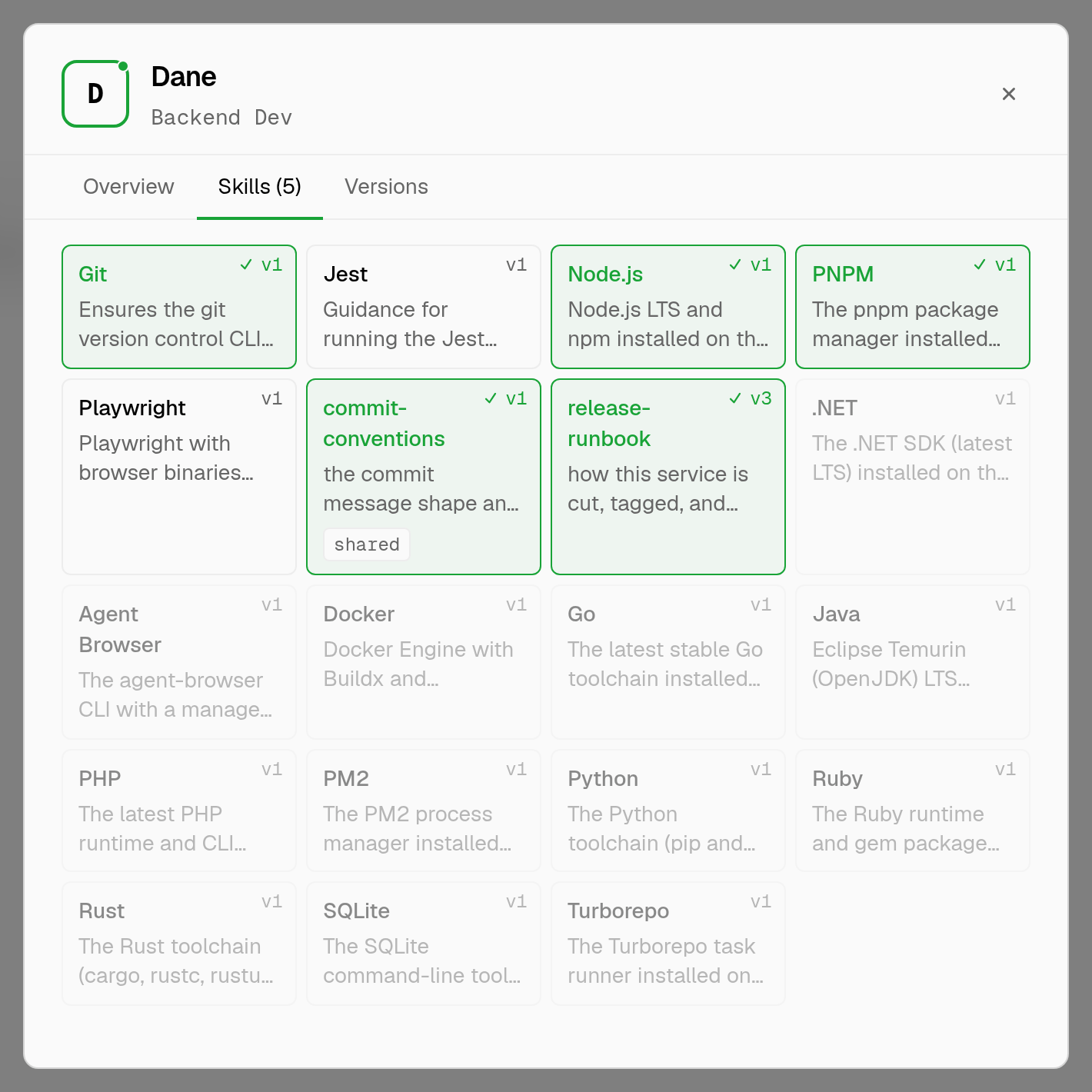
an ai agent skill is a focused instruction set you attach to one agent so it knows how to do a specific thing. it is not a plugin you install into the model and it is not a longer system prompt: a skill is a named, versioned document that loads only for the agents you assign it to. attach the pnpm skill to your engineer and it works your monorepo the way your team does. leave it off the analyst and the analyst never carries the weight.
two kinds of skills
pre-built skills ship with aldena and cover the tooling agents run on the room's own server: node.js, pnpm, turborepo, git, jest, playwright, agent browser, docker, sqlite, python, go, rust, java, php, ruby, .net, and pm2. most pair with a technology, so the room installs the tool and the skill explains how to use it. try to attach one before its technology is installed and the assignment is refused rather than failing later mid-run.
custom skills are yours. give one a name, a one-line description, and up to 8000 characters of instructions: your deployment runbook, your commit conventions, the shape of your api, the checklist a review has to pass. they need no technology and take effect the moment you assign them.
connected integrations are a separate layer. github, bitbucket, jira, linear, google drive, slack, gmail, notion, sentry, and vercel attach their own tools to a room when you connect them, and skills sit alongside those tools rather than replacing them.
versioned, like code
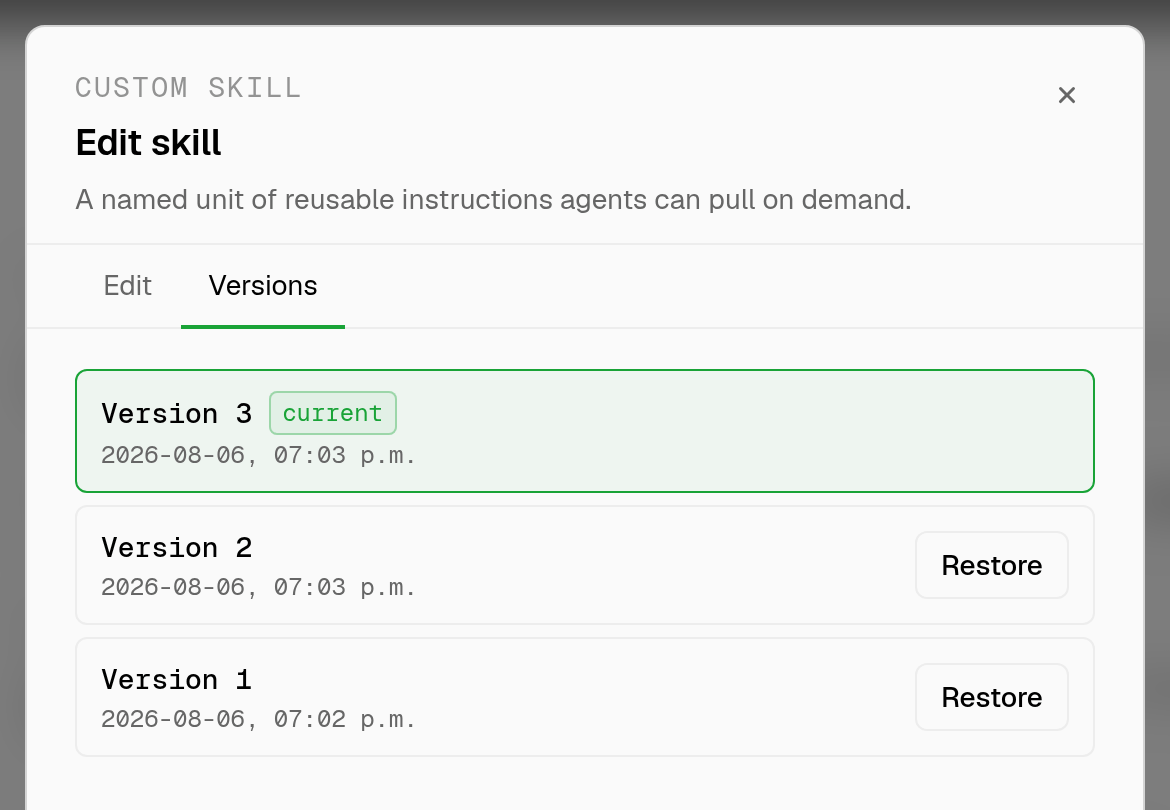
every skill carries a version history and one active version.
- editing a skill creates a new version instead of overwriting the last one.
- the active version is what agents load, so publishing a change is switching the active version.
- roll back by making an earlier version active again, and every agent picks it up on its next run.
room skills and team skills
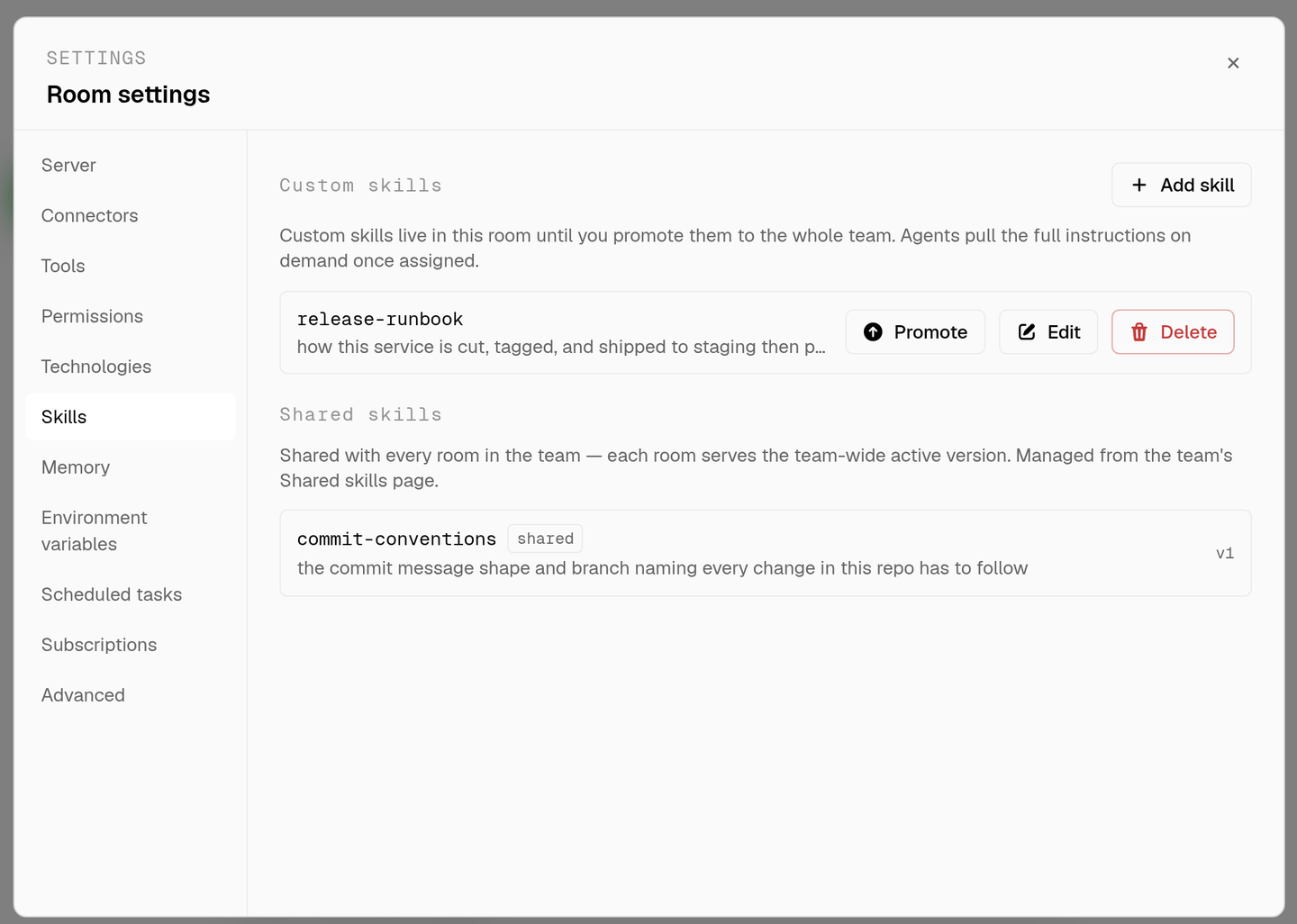
a skill starts in the room where you wrote it. promote it and it moves into the team catalog, taking its version history and its agent assignments with it. from then on it appears in every room on the team, with one team-wide active version: switch it once and every room serves the new version immediately. shared skills are managed on their own page, so a convention only has to be written down once.
who gets which skill
skills are attached per agent, not per room. an agent's Skills tab lists what it carries, and the room's Skills tab is where you create, edit, version, and hand them out. the built-in concierge can do all of it on request too: create a shared skill, promote an existing one, or switch the active version.
start from the agent roster for the roles, keep the durable facts in agent memory, and gate what a skill lets an agent actually run through tool permissions.
faq
what is the difference between a skill and a technology?
a technology is software installed on the room's server. a skill is the instructions for using it. the technology makes the command available, the skill tells the agent when and how to run it.
does a skill slow every agent down?
no, because skills load per agent. an agent carries only what you assigned it, so an unrelated runbook never lands in its prompt.
can i change a skill without breaking a running room?
yes. edits create a new version and agents keep serving the active one until you switch it. if the new version misbehaves, make the previous one active again.
how do i share a skill across every project?
promote it out of the room it was written in. it joins the team catalog, keeps its history, and shows up in every room the team has.
what belongs in a custom skill?
anything you would otherwise repeat in chat: release steps, naming conventions, the api contract, the definition of done. keep it under 8000 characters and specific.
spin up your first room.
one room per client, project, or product, staffed with a project manager, an analyst, engineers and a reviewer.