start using Python with your agents
sign up, open a room, and install Python from its technologies tab.
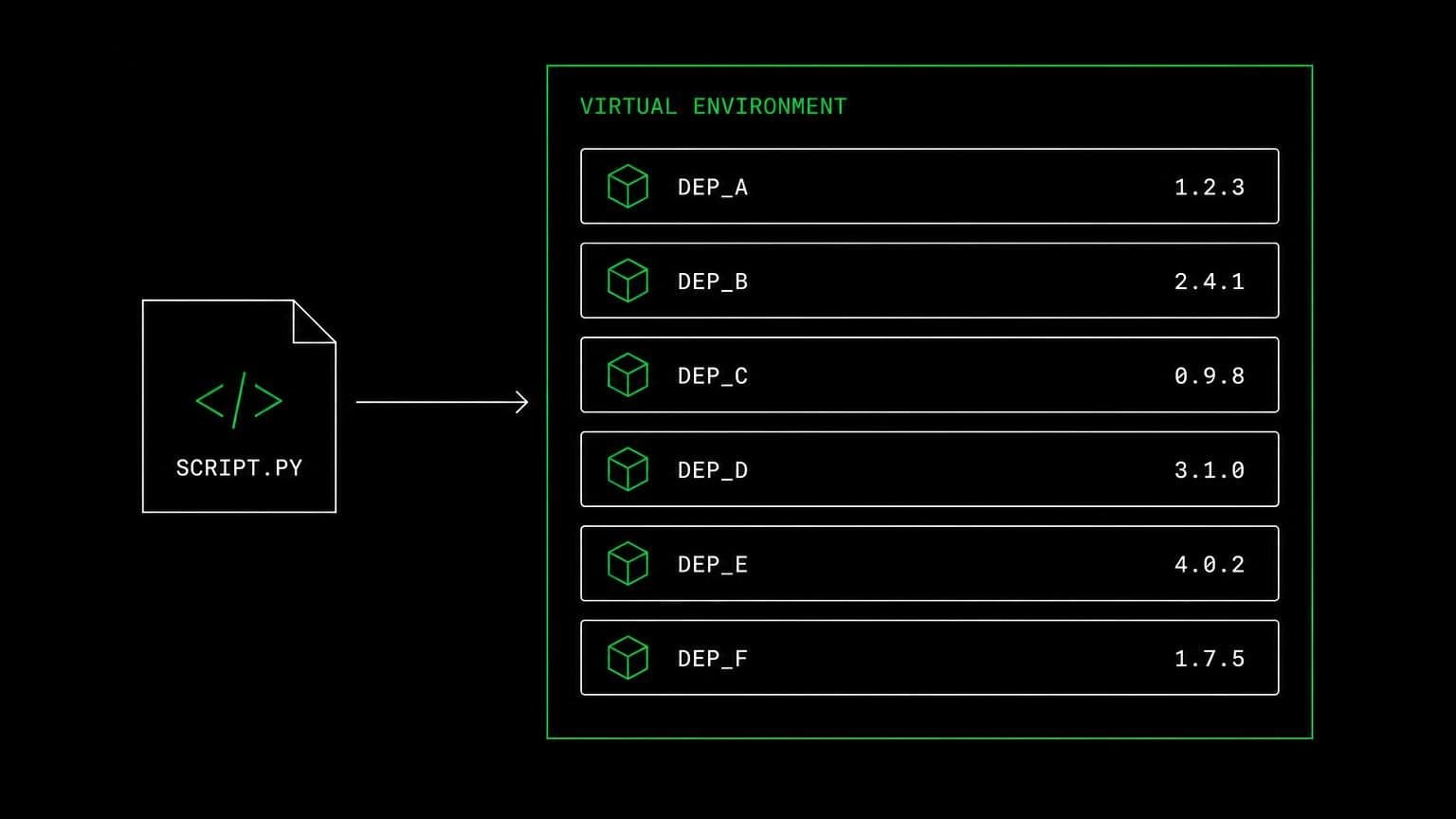
python ai agent: agents that write the script and then run it
install python on a room's server and its agents get python3, pip3 and venv through the bash tool, so they build environments and run the code they write.
- runs on
- room server
- installed
- per room
- category
- runtime
python on a room is an install on the room's own server, not a sandbox that evaporates between messages. once it reports installed, python3, python, pip3 and the venv module are on the path and every agent in the room reaches them through the bash tool.
what agents do with it
the point of having python on the room server is that the agent that writes a script can run it against the real files. it creates .venv, installs from requirements.txt, runs the script, reads the traceback, edits the code, and runs it again. a data file downloaded from a connected drive lands on the same machine, so the agent can load it without anyone moving bytes around by hand.
the matching skill
python ships with a skill of the same name, carrying the guidance on virtual environments, pip3 install -r requirements.txt, and running scripts. skills are versioned documents that load only for the agents you assign them to, so the engineer carries it and the project manager in the same room does not.
example tasks
- 01
load the export into a dataframe and tell me which rows are malformed.
the agent builds a virtual environment, installs what the script needs, runs it against the file on the room server, and reports the real row numbers.
bashwriteread - 02
the scraper is failing on the new page layout. fix it.
it runs the script to see the actual traceback, edits the selector, reruns until the output is right, and shows you the diff before anything is pushed.
basheditgithub_git_push
what to know before installing
the room needs a paid server tier. the install is queued from the technologies tab and streams its status, and if python is already present the script exits early rather than reinstalling. uninstalling runs the teardown script, so a room can be returned to a clean base without recreating it.
how to install Python
Python is installed per room from the technologies tab, not once per team and not on your laptop.
- give the room a server
technologies are installed on real hardware, so the room needs a 2 GB, 4 GB, or 8 GB tier. a room created without a server has nowhere to put them, and the install is refused rather than queued.
- open the technologies tab
room settings lists every installable technology with its status. pick Python and the install is queued for that room's server alone.
- watch the install run
the room streams the status through pending, installing, and installed, and a failed script surfaces its error instead of leaving the room in an unknown state.
- agents use it through bash
once it reports installed, every agent in the room reaches Python with the bash tool, on the same filesystem as the checkout they are working in. uninstalling runs the teardown script and takes it away again.
where Python actually lives
each room owns a server for its whole life, and the technologies tab is how you decide what is on it. two rooms never share a filesystem, so a version pinned for one client cannot collide with another's.
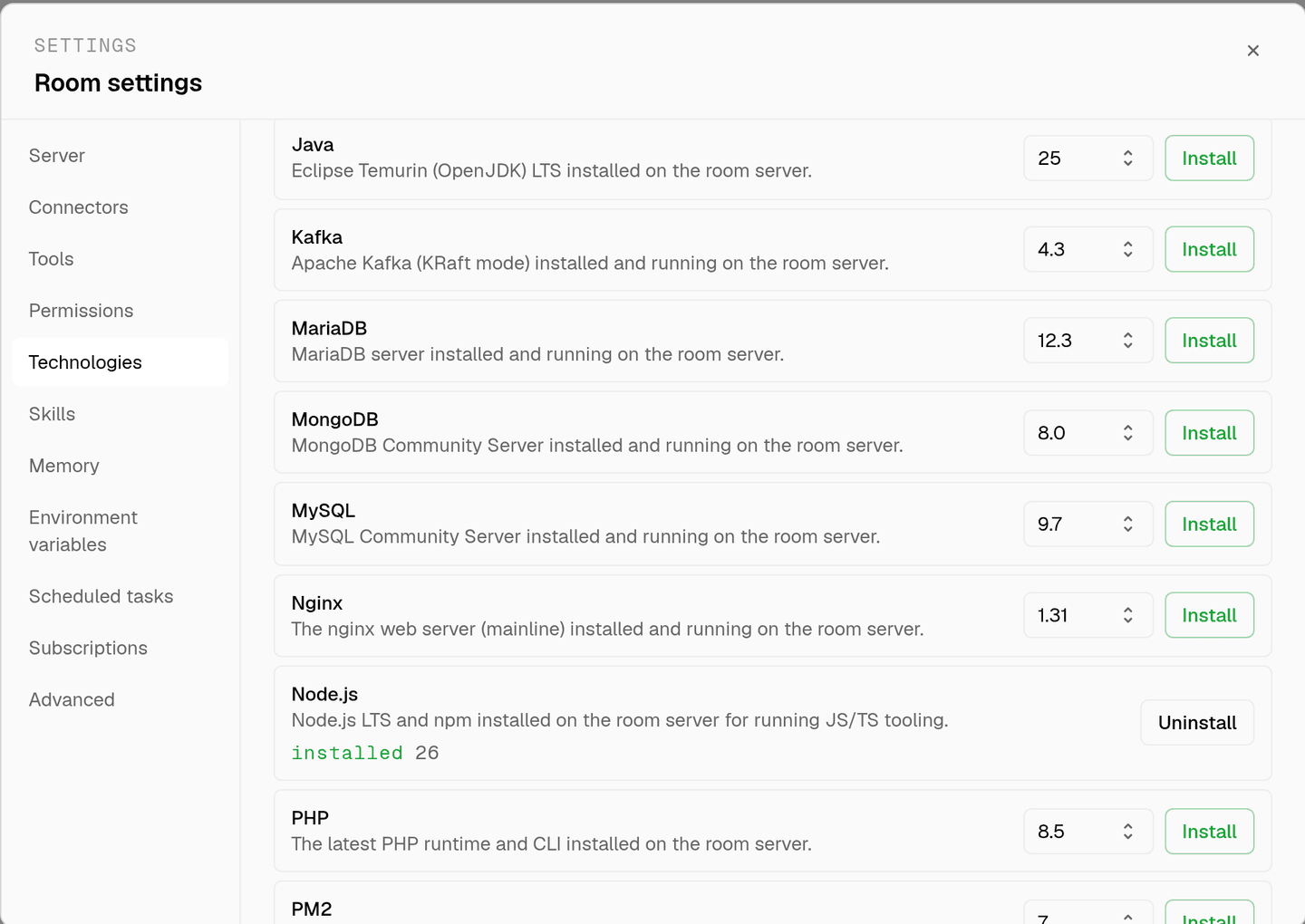
server time is metered by the hour against the same prepaid balance that pays for model usage. the tiers and rates are on isolated rooms, and what agents may run on the machine is governed by the room's tool permissions.
faq
what does installing python on a room give the agents?
python3, python, pip3 and the venv module on that room's server, reachable through the bash tool. agents create an isolated environment, install from requirements.txt, and run the script on the same machine that holds the checkout and the data.
will agents install packages into the system python?
the shipped python skill tells them to create a virtual environment with python3 -m venv .venv and activate it before installing, so project dependencies stay in the project. the skill loads only for the agents you assign it to.
can an agent run a long data job in a room?
yes, on the room's own server, which is a 4 gb or 8 gb machine depending on the tier chosen when the room was created. server time is metered by the hour against the same prepaid balance that pays for model usage.
does installing python in one room affect another?
no. technologies are installed per room, and two rooms never share a filesystem. one room can pin an old dependency set for a client while another runs something current, with no interference between them.
spin up your first room.
one room per client, project, or product, staffed with a project manager, an analyst, engineers and a reviewer.