start using Git with your agents
sign up, open a room, and install Git from its technologies tab.
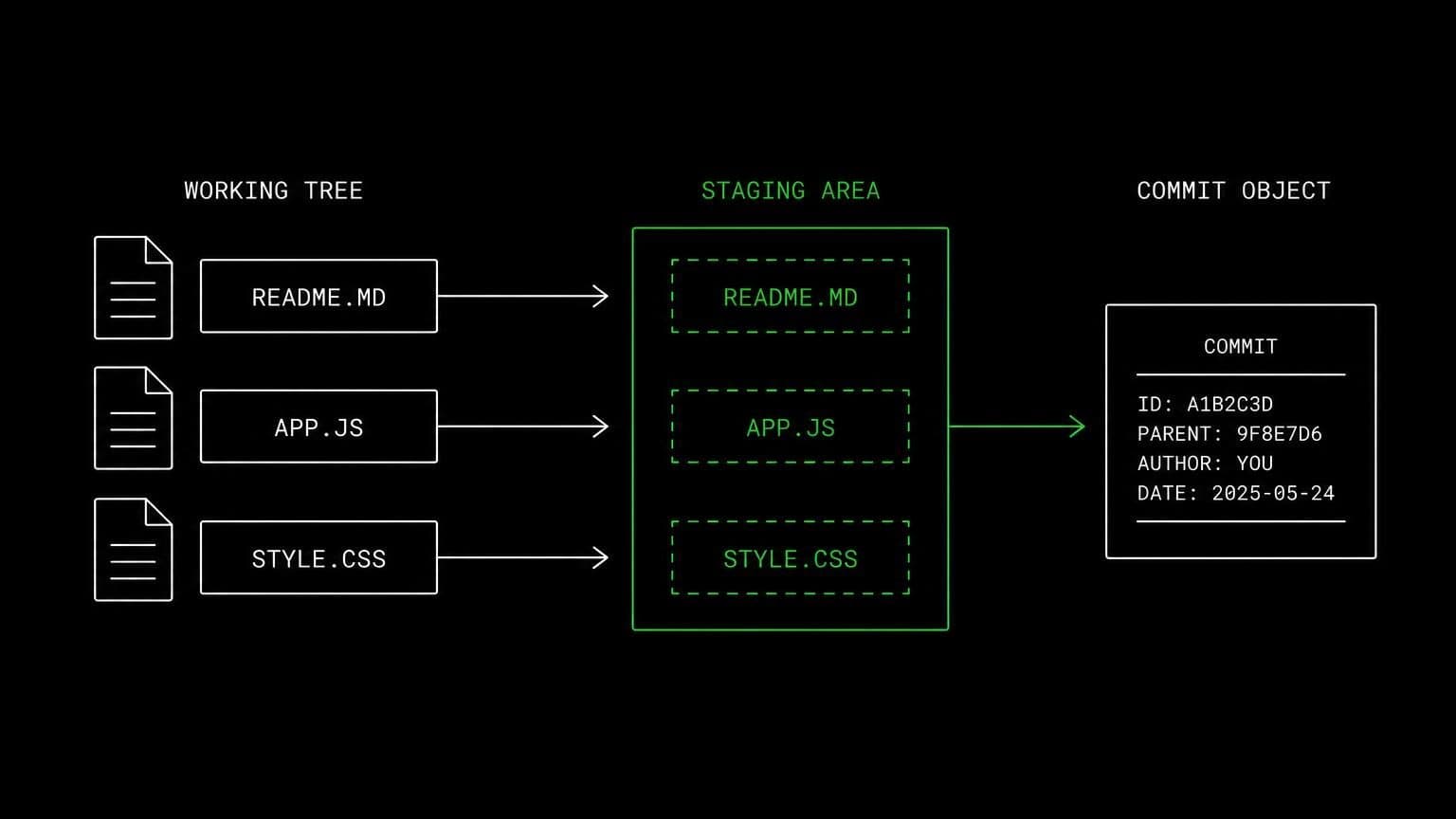
git ai agent: branch, commit, and rebase a real checkout
install git on a room's server and its agents work a real checkout: branches, commits, diffs, history and rebases, on the machine that runs the test suite.
- runs on
- room server
- installed
- per room
- category
- version control
git is the smallest technology in the catalog and the one most other work leans on. installing it puts the git cli on the room server's path, where every agent in the room reaches it through the bash tool.
what agents do with it
the connectors move code between the room and github or bitbucket. git is what happens in between. an agent creates a branch, stages exactly the files it changed, writes a commit message that describes the change rather than the diff, reads git log to find when a behaviour appeared, and runs git diff before it claims anything is done. when a rebase conflicts, it resolves the conflict in the working tree on the same machine that runs the tests.
the matching skill
git ships with a skill of the same name. it carries two rules that matter in a shared repository: configure user.name and user.email before committing, and never force-push a shared branch. skills load only for the agents you assign them to, so the engineer carries it and the reviewer in the same room does not have to.
example tasks
- 01
which commit broke the checkout flow?
the agent reads the history around the change, checks out candidate commits on the room server, runs the failing test at each, and names the commit rather than guessing.
bashreadgrep - 02
split my working changes into two commits, one per concern.
it reads the diff, stages the hunks that belong together, writes both commit messages, and shows you the result before anything is pushed.
bashedit
what to know before installing
the room needs a paid server tier. the install is a small one, and if git is already present the script exits early. pushing back to a provider still needs the matching connector and its write scope, so git alone gives agents a local working tree and nothing beyond the room.
how to install Git
Git is installed per room from the technologies tab, not once per team and not on your laptop.
- give the room a server
technologies are installed on real hardware, so the room needs a 2 GB, 4 GB, or 8 GB tier. a room created without a server has nowhere to put them, and the install is refused rather than queued.
- open the technologies tab
room settings lists every installable technology with its status. pick Git and the install is queued for that room's server alone.
- watch the install run
the room streams the status through pending, installing, and installed, and a failed script surfaces its error instead of leaving the room in an unknown state.
- agents use it through bash
once it reports installed, every agent in the room reaches Git with the bash tool, on the same filesystem as the checkout they are working in. uninstalling runs the teardown script and takes it away again.
where Git actually lives
each room owns a server for its whole life, and the technologies tab is how you decide what is on it. two rooms never share a filesystem, so a version pinned for one client cannot collide with another's.
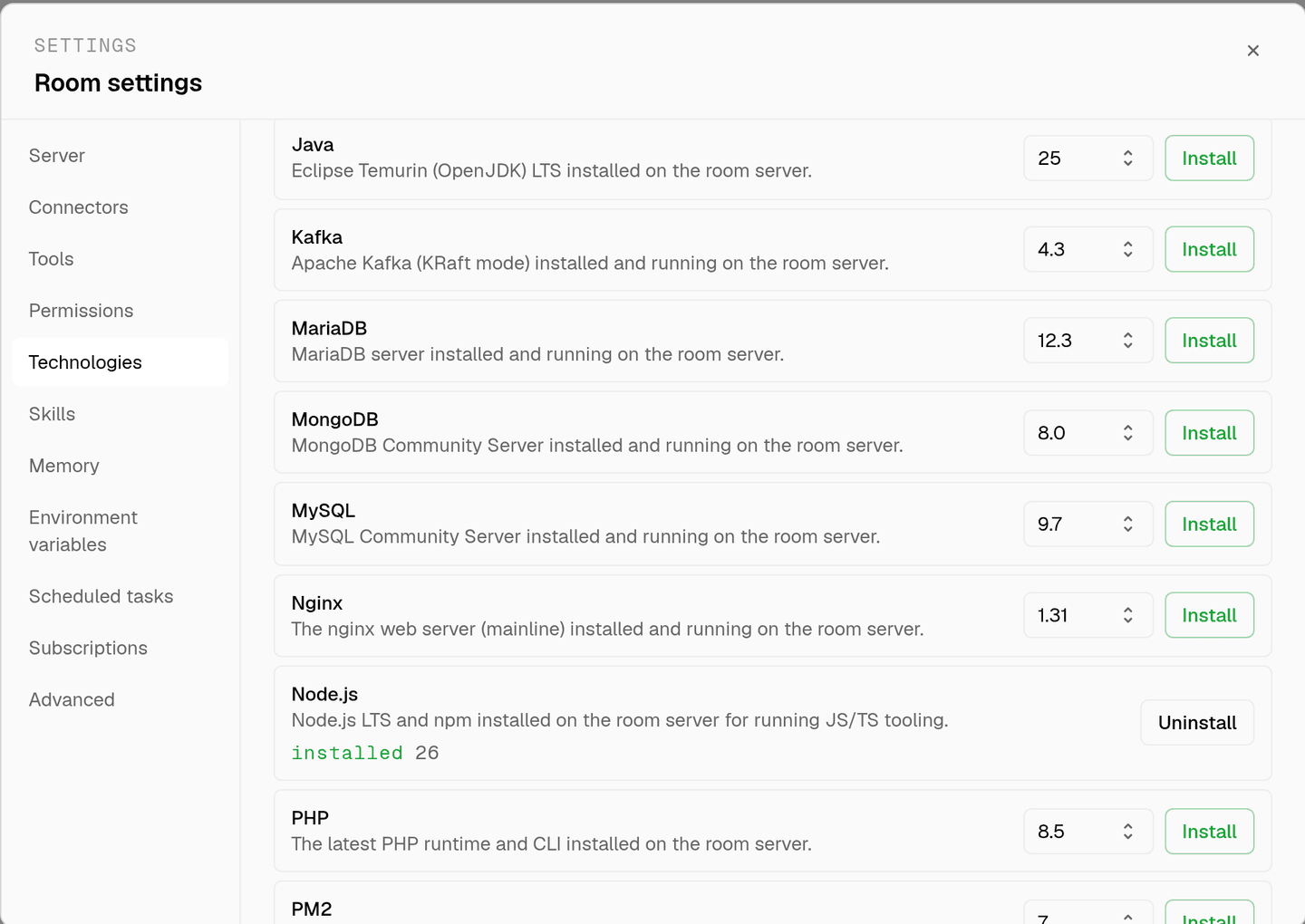
server time is metered by the hour against the same prepaid balance that pays for model usage. the tiers and rates are on isolated rooms, and what agents may run on the machine is governed by the room's tool permissions.
faq
why install git when the github connector already syncs repositories?
the connector clones and pushes. git on the room server is what agents use in between: branching, staging, committing, reading a diff, checking history, resolving a conflict. one moves code between the room and the provider, the other is the day to day work.
does the agent commit as me?
the shipped git skill tells agents to configure user.name and user.email before committing, so commits carry a clear author rather than a blank one. pushes go through the connector, which authorised against a real account, so the provider records who it was.
can an agent force-push over my branch?
the git skill says never force-push shared branches, and git runs through the bash tool, which is a mutating tool that stops for your approval by default. a room can also set bash to deny outright in its tool permissions.
is the checkout still there tomorrow?
yes. the room's server is provisioned with the room and stays with it, so a branch left half finished is still there in the next session. two rooms never share a filesystem, so one client's checkout cannot collide with another's.
spin up your first room.
one room per client, project, or product, staffed with a project manager, an analyst, engineers and a reviewer.