start using Vercel with your agents
sign up, open a room, and authorise Vercel from its connectors settings.
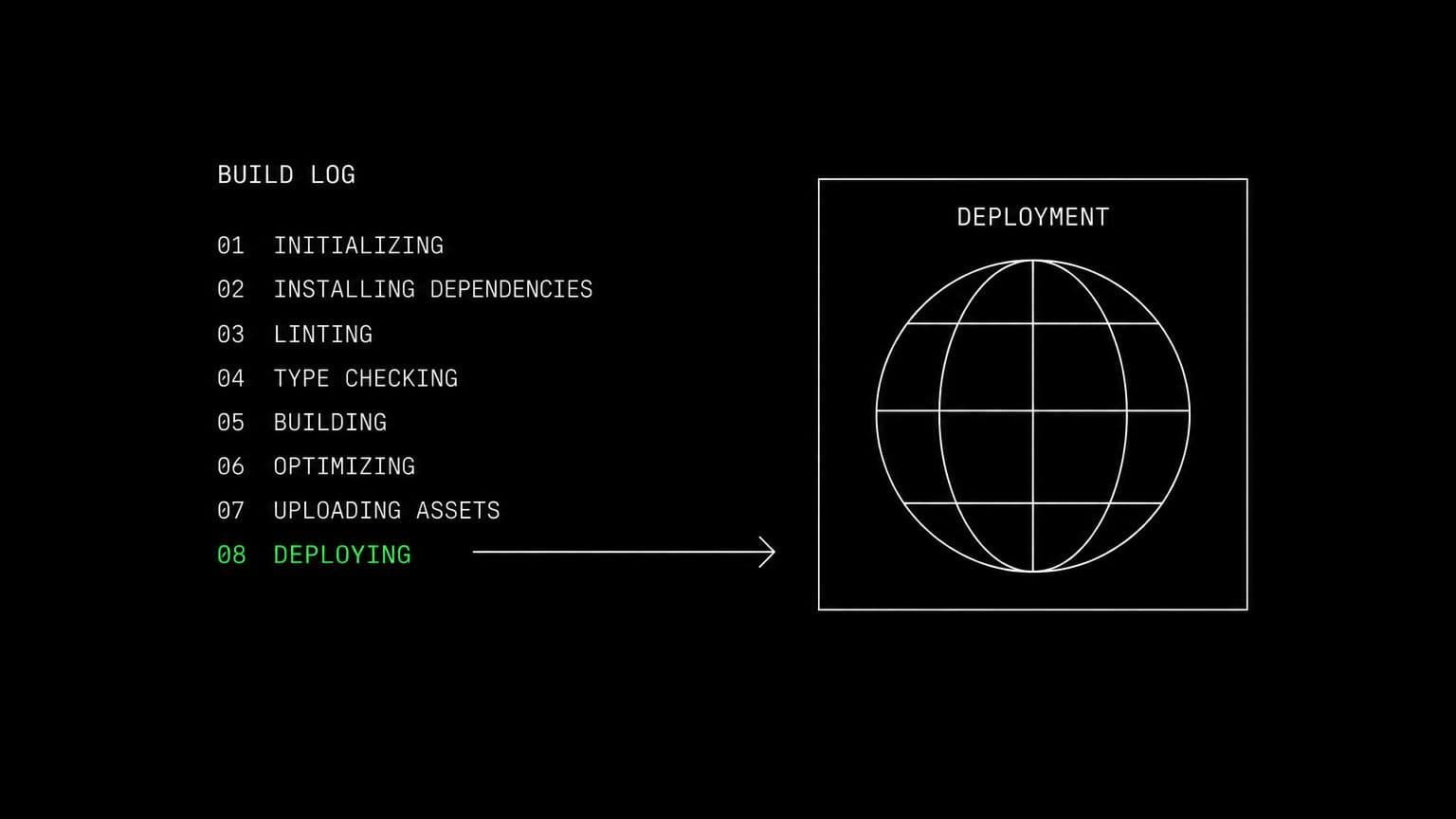
ai agent for vercel: read the build log, deploy again
connect vercel to a room and its agents list projects and deployments, read build logs down to the error, subscribe to events, and deploy on an opt-in scope.
- read tools
- 7
- write tools
- 3
- scopes
- 3
a failed deployment is a log file and a guess. connecting vercel to a room removes the guess, because the agent that reads the build log also has the repository checked out on the room's own server and can reproduce the build there.
reading the deployment
vercel_list_projects and vercel_get_project describe a project with its framework and latest deployment. vercel_list_deployments filters by project, state, or target, vercel_get_deployment reads one by id or hostname with its state and urls, and vercel_get_deployment_build_logs reads the build log events, optionally errors only. that last one is the tool that matters: it goes to the failing line rather than summarising the run.
acting on it
vercel_deploy creates a preview or production deployment from inline files. it sits behind the create deployments scope, which is off by default, because a production deployment replaces live traffic the moment the build passes. with the scope on it still asks for your approval before each call. vercel_list_teams confirms which account the room is pointed at, and vercel_get_granted_scopes lets an agent check what it holds before it offers to ship anything.
reacting rather than polling
vercel_subscribe attaches an agent to a project or the connected team. deployment created, succeeded, errored and canceled events wake it in the chat where it subscribed, along with project and domain events, so the investigation starts while the build output is still fresh.
example tasks
- 01
the last deploy failed. work out why and fix it.
the agent reads the errors from the build log, reproduces the build on the room server, writes the fix, and opens a pull request with the change.
vercel_list_deploymentsvercel_get_deployment_build_logsbashgithub_create_pull_request - 02
which of our projects has not deployed in the last month?
it lists the projects, reads each one's latest deployment, and reports the stale ones with dates rather than a vague impression.
vercel_list_projectsvercel_get_projectvercel_list_deployments - 03
watch production and tell me the moment a deployment errors.
the project subscription wakes the agent in this chat on the deployment event, and it pulls the error lines from the build log before reporting.
vercel_subscribevercel_get_deploymentvercel_get_deployment_build_logs
what it will not do
an agent cannot change environment variables, manage domains, edit project settings, or roll back a deployment. it reaches one vercel account, the one the room connected, and with the deploy scope off it can read everything and change nothing.
what agents can call
every Vercel tool an agent in a connected room can reach, split by whether it only reads or changes something. read tools are allowed by default, write tools stop for your approval, and the room's tool permissions can move any of them either way.
vercel_list_teamsRead the one Vercel team or account the room is connected to.
vercel_list_projectsList the connected account's projects.
vercel_get_projectRead one project by id or name, with its framework and latest deployment.
vercel_list_deploymentsList deployments, optionally filtered by project, state, or target.
vercel_get_deploymentRead one deployment by id or hostname, with its state and URLs.
vercel_get_deployment_build_logsRead a deployment's build log events, optionally errors only.
vercel_get_granted_scopesRead the connection's granted scopes.
vercel_deployCreate a preview or production deployment from inline files.
vercel_subscribeSubscribe the agent to events on a Vercel project or the connected team.
vercel_unsubscribeCancel one of the agent's Vercel event subscriptions.
what you grant
scopes are chosen when the room connects Vercel, and they can be changed later by reconnecting. anything marked off by default stays off until someone deliberately turns it on.
- Read projects & deploymentson by default
Read the connected team, its projects and deployments, and a deployment's build logs.
- Create deploymentsoff by defaultneeds deployments_read
Create deployments from inline files, including production deployments that replace live traffic once the build passes.
- Event subscriptionson by default
Let agents subscribe to Vercel events (deployment created, succeeded, errored and canceled, project created and removed, domain created) and receive a notification in the chat where they subscribed.
how to connect Vercel
connecting Vercel takes one oauth round trip, started from inside the room that needs it.
- open the room's connectors settings
connections belong to a room, not to your account and not to the team. open the room that needs Vercel and go to its connectors panel. connecting it in one room leaves every other room untouched.
- authorise with a real account
any member of the room can start the oauth flow, and they authorise as themselves, so Vercel records a real identity on every action instead of an anonymous shared bot.
- choose the scopes for this room
Vercel grants a fixed set at install, and the room decides which of those groups its agents may actually use. turn a group off and the tools behind it stop existing for that room, no reconnect needed.
- the room's agents pick up the tools
every agent in that room can now call the Vercel tools the granted scopes cover. mutating tools still stop for approval, and disconnecting takes the tools away again in one click.
data handling and security
the objection to an agent with write access is noise: a wrong edit, a wrong comment, a wrong merge. the answer is that nothing mutating happens without a person, and nothing crosses a room boundary.
- one connection, one room
the Vercel credential is stored against the room it was authorised in. no tool in another room can read it, and there is no team-wide connection to inherit by accident.
- scopes bound at the tool layer
a Vercel tool that needs a scope the room did not grant is not offered to the agent at all, so a model cannot talk itself into an action nobody authorised.
- approval before anything changes
mutating tools pause the run and wait for a human. you allow once, allow always for that room, or deny, and the agent carries on with the answer.
- an audit trail you can read
every call is a message in the room's chat with its arguments and its result, in the order it happened, so a surprising change is traceable rather than mysterious.
- revocation is one click
disconnect Vercel and the tools disappear from the room immediately, along with the stored credential and any event subscriptions the agents had opened.
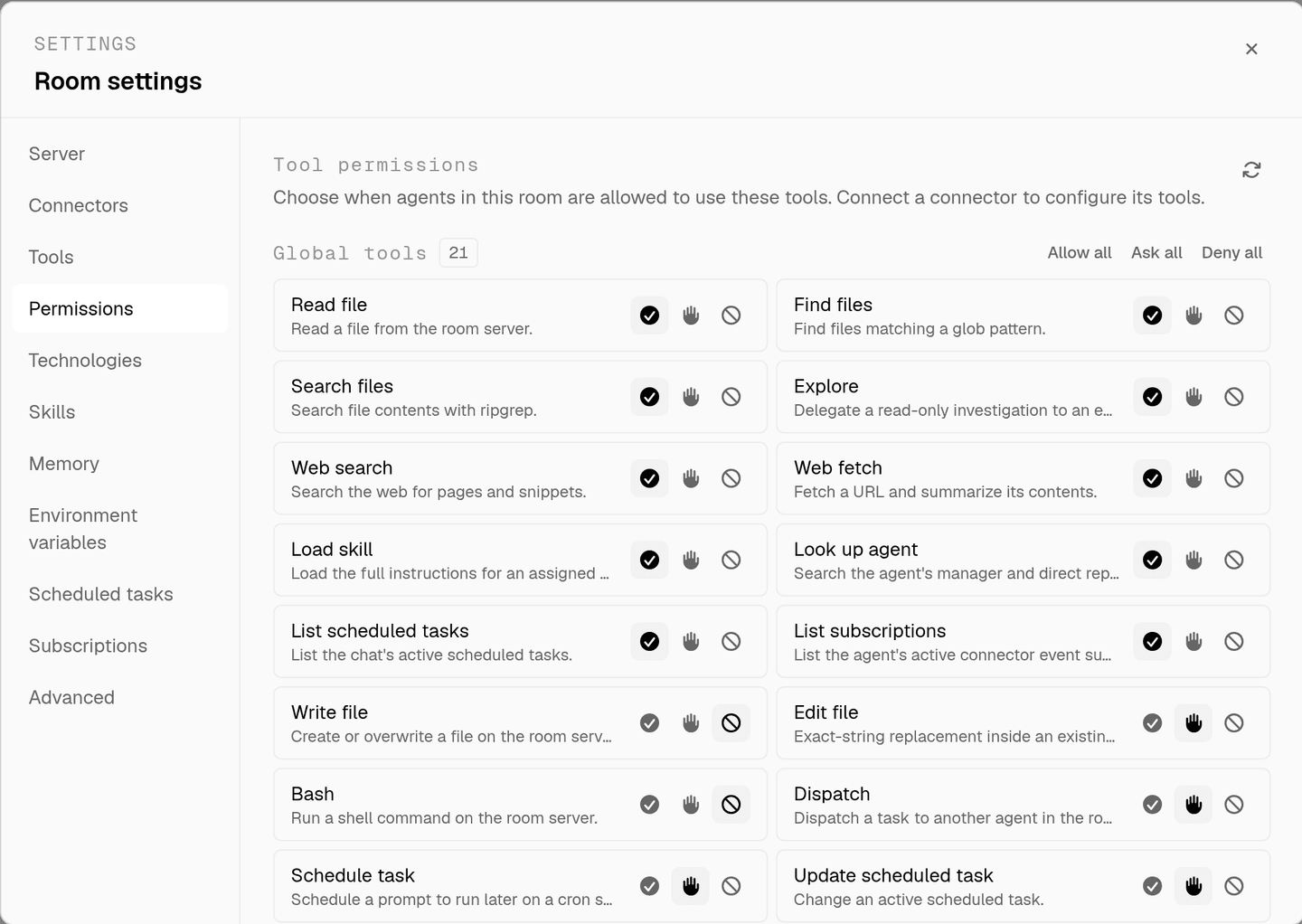
the full approval model, including what agents ask you mid-run, is on human in the loop, and room isolation is on isolated rooms.
faq
can an ai agent read my vercel build logs?
yes. vercel_get_deployment_build_logs reads a deployment's build log events, optionally errors only, so an agent can go straight to the line that failed instead of asking you to paste it. that is a read tool, so it runs without asking.
can an agent deploy to production?
vercel_deploy sits behind the create deployments scope, which is off by default because a production deployment replaces live traffic once the build passes. turn it on and the call still stops for your approval before it runs.
which vercel account does the room reach?
exactly one. vercel_list_teams reads the single team or account the room is connected to, and vercel_list_projects lists that account's projects. connecting vercel in one room gives no other room access to it.
how does an agent know a deployment failed?
vercel_subscribe attaches it to a project or the connected team. deployment created, succeeded, errored and canceled events, plus project and domain events, wake the agent in the chat where it subscribed, so a failed build can be investigated immediately.
what can it do with read access alone?
list projects and deployments, read one deployment by id or hostname with its state and urls, read a project with its framework and latest deployment, and read build logs. that covers the whole diagnosis path without any ability to change what is live.
spin up your first room.
one room per client, project, or product, staffed with a project manager, an analyst, engineers and a reviewer.