mcp servers: connect any remote server, gate every tool
install a known mcp server from the marketplace in one click, or add any other with a name and a url. its tools reach your agents, allow, ask or deny per tool.
an mcp server is a remote service that publishes tools over the model context protocol, and aldena connects to one the way it connects to any other room resource: a name, a url, and a status. this is not the desktop kind of mcp setup where you edit a json config file and restart an app. you add the server in room settings, aldena connects to it over streamable http, lists what it publishes, and every tool it found becomes a row you control.
it sits next to the built-in connectors rather than replacing them. github, jira, linear, slack, notion, sentry, vercel, gmail and google drive stay one-click. an mcp server is how you reach everything else, including tools your own team wrote.
starting from the marketplace
most of the time you should not have to look a url up. open a room's Connectors tab, press Marketplace, and you get a searchable catalog of remote mcp servers, 98 of them today, from github, linear and notion to plaid, semgrep and twilio. search by name, address or keyword and install with one click.
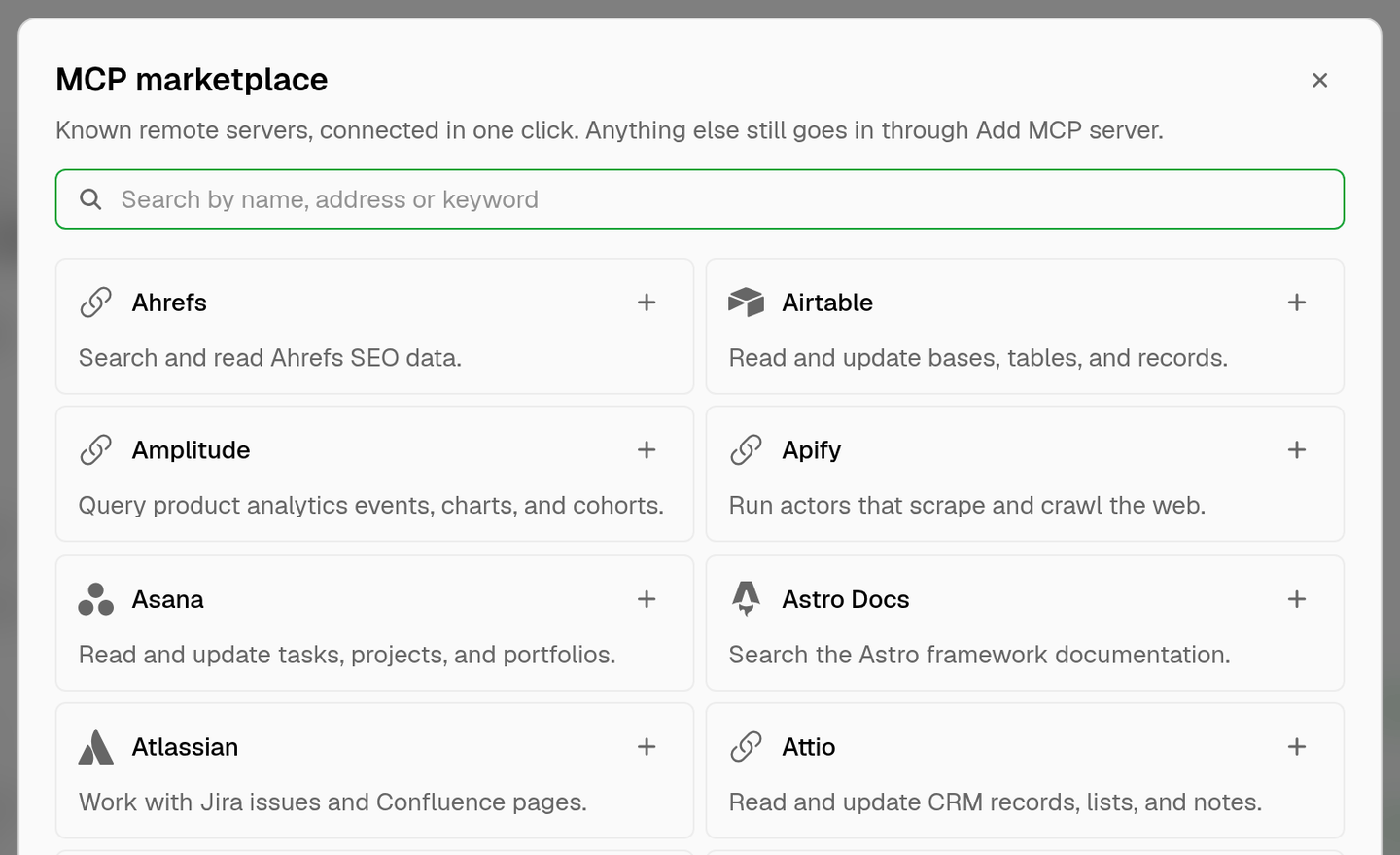
a name that would collide with a built-in connector gets a suffix, so linear installs as linear-mcp. if the room already uses that name, the marketplace hands you the add form with the entry filled in and the conflict already flagged, so you rename it and save. a server that signs in with a key opens that same form with the key fields ready.
the catalog is a shortcut, not a fence. anything it does not carry still goes in by hand, and a marketplace install is an ordinary server afterwards, with the same statuses, the same permission rows and the same connector limit.
adding one
open a room's Connectors tab and add a server with a lowercase name and its endpoint url. the name is the namespace your agents see, so keep it short.
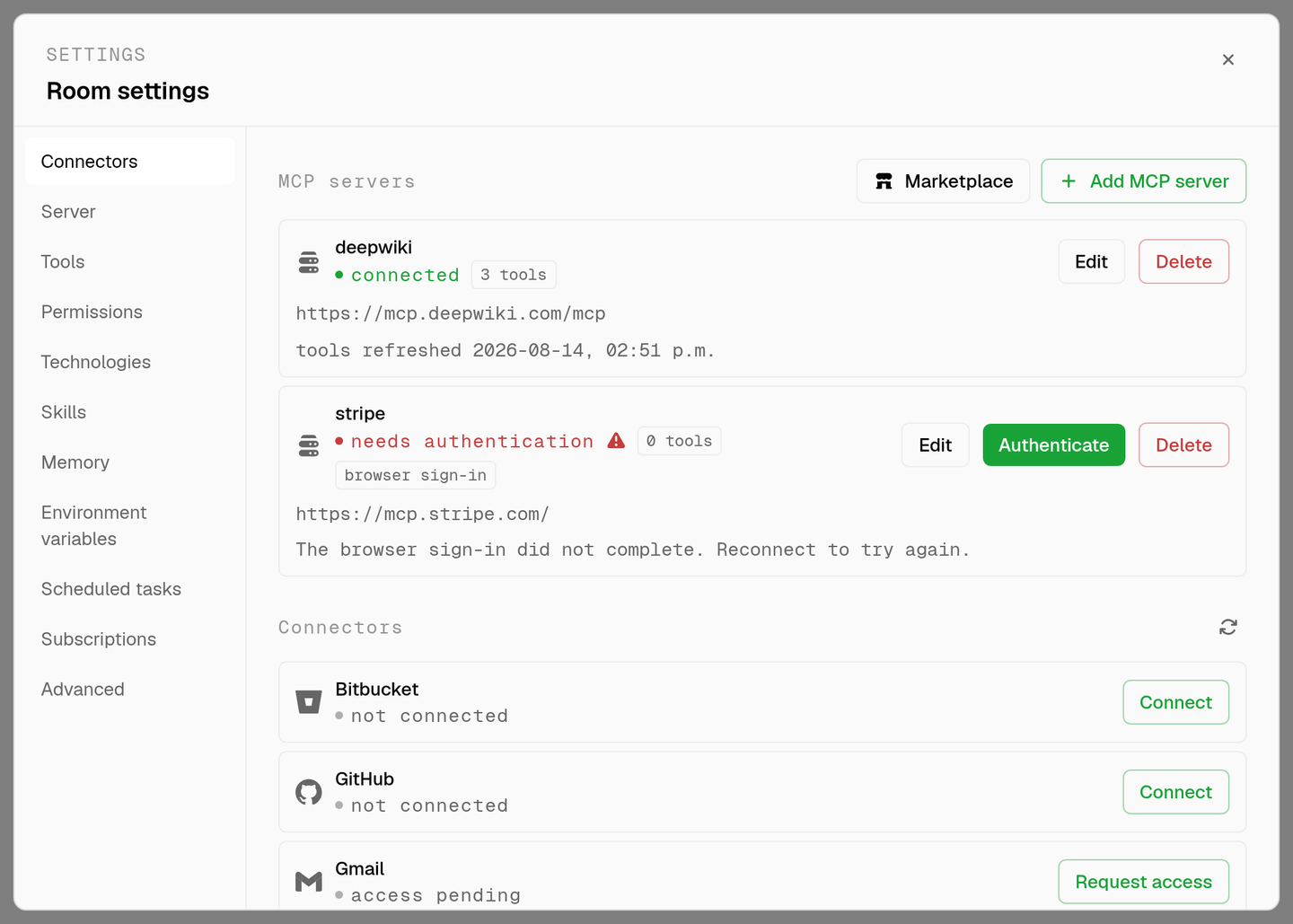
authentication is detected rather than configured. leave the header switch off and aldena connects, reads the server's challenge if it answers with one, discovers its authorization server, and hands you a sign-in link to open in a popup. finish the sign-in and the row goes green. if the server just wants a key instead, turn the switch on and enter a header name and value. the value is encrypted at rest and never sent back to the browser once saved.
each row carries its own status: connected, connected with a failed tool fetch, needs authentication, failed to connect, or connection error. a row that is not connected shows the reason underneath it, so a timeout reads differently from an expired token. rows that need a sign-in get an Authenticate button, and the rest get Reconnect.
tools without the prompt bloat
a busy mcp server can publish a hundred tools. dropping all of their schemas into every agent's system prompt would cost more than the tools are worth, so aldena does not do that.
your agents get exactly two tools instead. mcp_search finds cached tools by name, title or description and returns their full input schemas. mcp_call runs one. the system prompt carries only the server names and the tool names your agents are allowed to use, so adding a large server does not tax every message.
tool lists are cached and refreshed when you connect, when you reconnect after changing the url or the token, when you press refresh on the Connectors tab, and on their own once the cache goes stale. a refresh that fails keeps the last known tools rather than stripping your agents mid-run.
every tool is a permission row
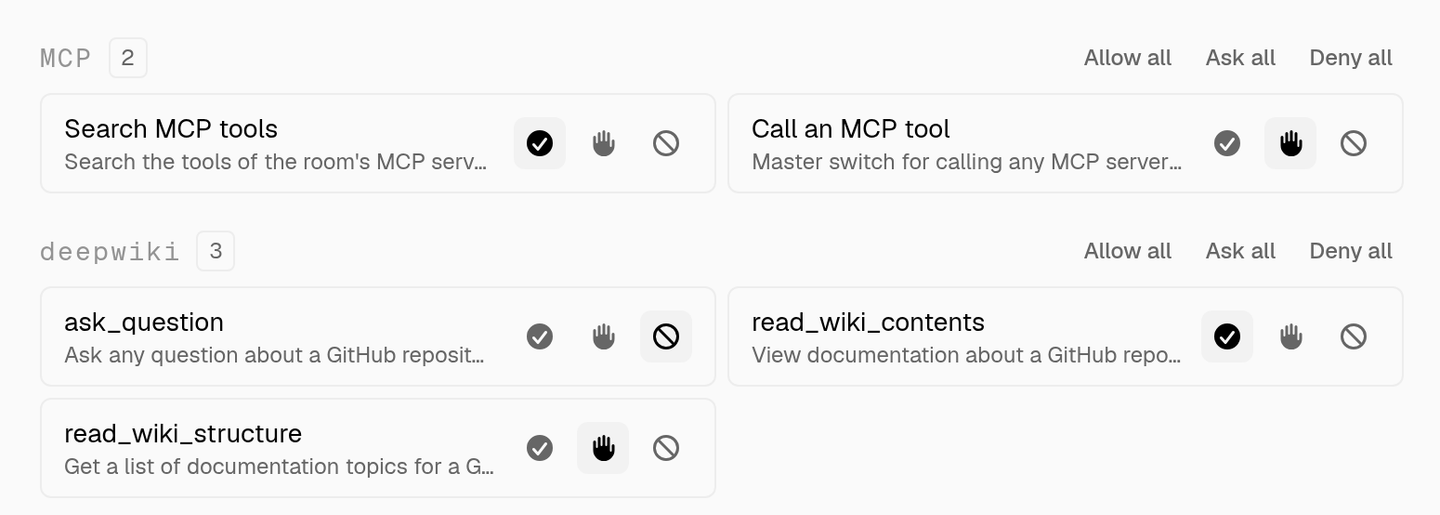
each discovered tool gets its own section and its own three-state control in the room's Permissions tab, the same allow, ask and deny used for every other room tool.
- read-only tools default to allow, everything else defaults to ask.
- an ask tool pauses the run and waits for you, in the same approval prompt you already use.
- a denied tool is not just blocked. it is never named in the system prompt and never returned by
mcp_search, so the agent cannot ask for it and cannot be talked into trying.
rename a server and your allow, ask and deny choices move with it. delete one and its permission rows go too, along with a revoke request to the authorization server that issued the token.
what it is safe to point at
the url goes through the same guard on every outbound request, not only when you save it, and dns is resolved again each time so a hostname cannot be re-pointed at a private address after the fact. redirects to another host are refused, response bodies are capped, and everything the server sends back is treated as untrusted text. tool descriptions land near your prompt, so they are stripped, length-capped, and labelled as third-party content that agents are told not to take instructions from.
mcp servers count against your team plan's per-room connector limit, alongside the built-in connectors. they belong to one room, so two rooms pointing at the same url are independent, with their own credentials and their own permissions.
the built-in concierge can search the marketplace and list, add, rename, repoint and delete servers for you on request. it will not take a token in chat, and it cannot change a per-tool permission. both of those stay in room settings on purpose.
pair it with the agent roster for who does what, and skills for how they do it.
faq
which mcp transport does aldena support?
streamable http, pointed at a remote url. there is no stdio option, because the server runs on someone else's machine rather than inside the room.
do i have to find the server's url myself?
only for servers the marketplace does not carry. the catalog holds 98 of them, searchable by name, address or keyword, and installing one fills in its url for you.
do i need to register an oauth app first?
no. if the server answers with an authorization challenge, aldena discovers its authorization server, obtains a client identity automatically, and gives you a sign-in link. you only enter something by hand when the server wants a static token instead.
will a large mcp server slow my agents down?
no, because the tool schemas never enter the prompt. agents see the server name and its allowed tool names, then look up the schema they need through mcp_search when they need it.
can i stop an agent from using one specific tool?
yes. set that tool to deny in the room's Permissions tab and it disappears from the agent's view entirely, rather than being offered and refused.
what happens when the server's token expires?
aldena refreshes it before the next call. if the refresh fails, the row moves to needs authentication with the reason, and the Authenticate button starts a fresh sign-in.
does an mcp server use up a connector slot?
yes. mcp servers and the built-in connectors share the same per-room limit on your team plan.
spin up your first room.
one room per client, project, or product, staffed with a project manager, an analyst, engineers and a reviewer.