start using PM2 with your agents
sign up, open a room, and install PM2 from its technologies tab.
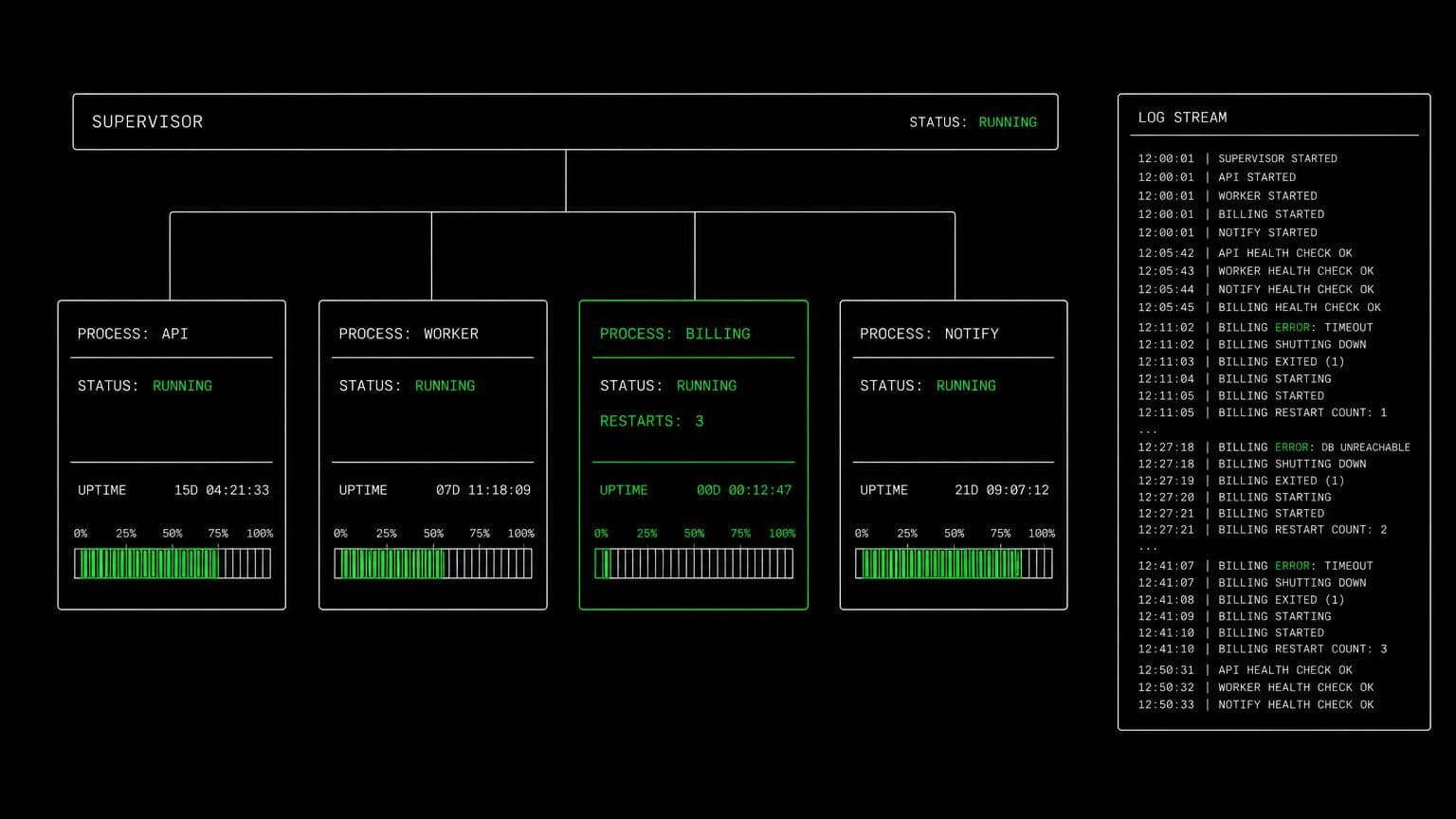
pm2 ai agent: agents that keep a process running and read its logs
install pm2 on a room's server and its agents start long-running processes, list what is running, read the logs, and stop everything cleanly when work is done.
- runs on
- room server
- installed
- per room
- category
- server
pm2 solves a small problem that blocks a lot of work: an agent needs the app to still be running in the next message. installed on a room's server it puts pm2 on the path for every agent in the room.
what agents do with it
an agent starts a service with pm2 start, checks what is up with pm2 list, and reads accumulated output with pm2 logs. that last one matters more than it sounds. a background process that failed two requests ago left its stack trace somewhere, and pm2 is where the agent goes to find it. pm2 kill stops everything at the end, which keeps the room's machine in a known state for the next task.
the matching skill
pm2 ships with a skill of the same name. it carries starting and listing processes, inspecting output with pm2 logs, stopping everything with pm2 kill, and the node.js dependency. skills load only for the agents you assign them to.
example tasks
- 01
run the api in the background and check the webhook path works.
the agent starts the service under pm2 on the room server, calls the webhook from the same machine, and reads the process logs to confirm what arrived.
bashread - 02
the worker keeps dying overnight. find out what kills it.
it reads the accumulated pm2 logs on the room machine, finds the unhandled rejection that ends the process, and fixes the handler.
bashgrepedit
what to know before installing
the room needs a paid server tier, and node.js must be installed first. pm2 is small and sits comfortably on the 4 gb tier alongside the app it supervises. uninstalling removes the global package from the room's machine.
how to install PM2
PM2 is installed per room from the technologies tab, not once per team and not on your laptop.
- give the room a server
technologies are installed on real hardware, so the room needs a 2 GB, 4 GB, or 8 GB tier. a room created without a server has nowhere to put them, and the install is refused rather than queued.
- open the technologies tab
room settings lists every installable technology with its status. pick PM2 and the install is queued for that room's server alone.
- watch the install run
the room streams the status through pending, installing, and installed, and a failed script surfaces its error instead of leaving the room in an unknown state.
- agents use it through bash
once it reports installed, every agent in the room reaches PM2 with the bash tool, on the same filesystem as the checkout they are working in. uninstalling runs the teardown script and takes it away again.
where PM2 actually lives
each room owns a server for its whole life, and the technologies tab is how you decide what is on it. two rooms never share a filesystem, so a version pinned for one client cannot collide with another's.
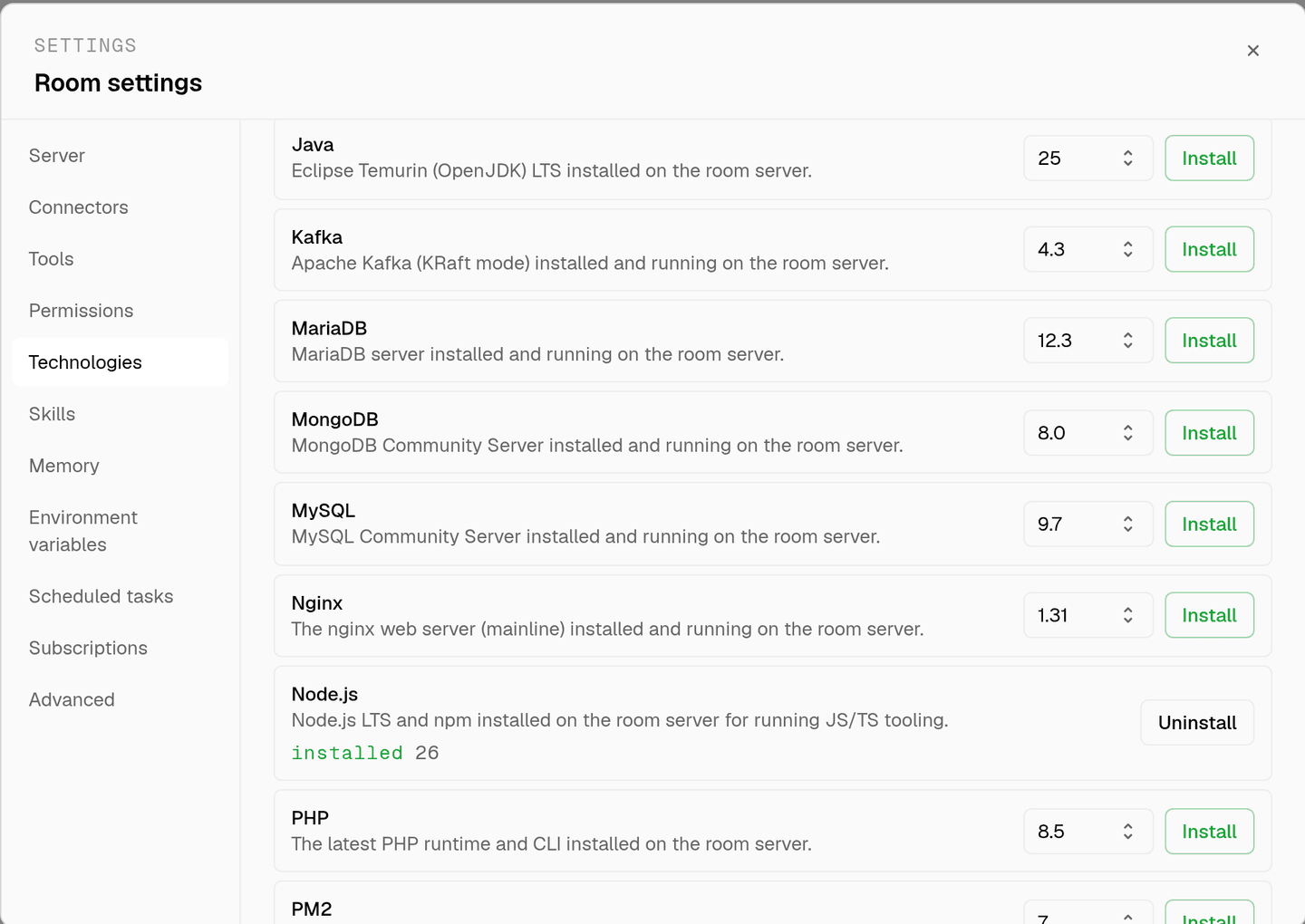
server time is metered by the hour against the same prepaid balance that pays for model usage. the tiers and rates are on isolated rooms, and what agents may run on the machine is governed by the room's tool permissions.
faq
why does an agent need a process manager?
because a shell command ends when the command ends. pm2 start keeps the app running on the room's server between messages, so an agent can start a service in one step and call it in the next without holding a terminal open.
what does the agent do with pm2 logs?
reads them. pm2 logs shows the output of a process that has been running in the background, which is how an agent finds the exception that happened three requests ago rather than only the one it triggered itself.
does pm2 need anything installed first?
yes, node.js. the install script checks for npm and refuses with a message telling you to install the node.js technology first. installing node.js before pm2 avoids that round trip.
will a process keep running and cost me money?
the process costs nothing on its own. the room's server is metered by the hour whether anything is running or not, so leaving a service up does not add to the rate. pm2 kill stops everything when the work is finished.
spin up your first room.
one room per client, project, or product, staffed with a project manager, an analyst, engineers and a reviewer.