ai concierge: run your agents and projects from one chat
aldena's concierge has its own page in your team sidebar. ask what your agents are doing, message or stop them, hand off work and connect services from one chat.
an ai concierge is an assistant that operates the product for you: you ask for an outcome in plain language instead of hunting for the screen that does it.
in aldena the concierge is called aldena, and its page is the first item in your team sidebar. from there it invites teammates, creates projects and hires agents.
it also checks on agents at work, instructs them and hands them work it cannot do. every tool acts with your own team role and project access, never more.
one page, many conversations
the aldena page lists your conversations beside the open one. start a new one when the subject changes, and the earlier ones stay listed, each at its own address.
an answering conversation shows it is working, and one waiting on your decision is marked as needing you. a reply finishing while you are away is kept in full.
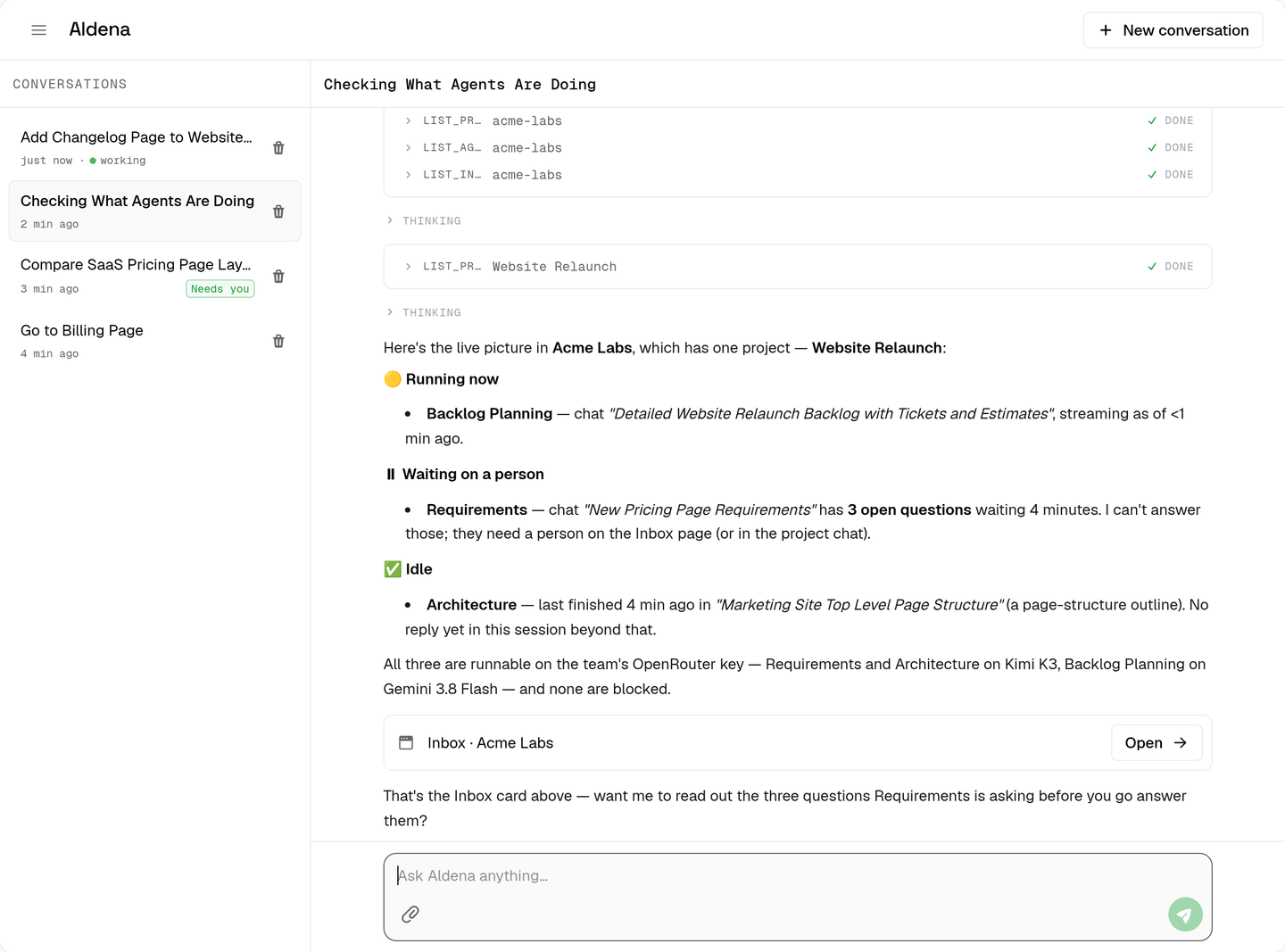
conversations belong to you, not a team, so the same list shows on every team you are in. a request naming no team uses the one you are on.
up to three conversations can answer at once, and aldena reads the last 30 messages of the open one, so a fresh conversation suits a fresh subject.
checking on your agents
ask what your agents are doing and aldena lists recent agent chats across your projects, each with its agent, project, status and age.
a chat is running, waiting on you, finished, failed or stopped; running and waiting chats come first. ask what an agent said and aldena sums up its latest messages.
that summary includes the text of any open question. aldena reports only when you ask: it does not watch runs in the background or tell you when one finishes.
whatever an agent wrote is treated as its content, never as instructions. if a chat message tells aldena to do something, it tells you instead of acting on it.
steering a run
ask aldena to tell an agent something and it posts that in the agent's chat as you, and the agent starts working. teammates see an ordinary message from you.
ask it to stop an agent and it stops the current run, like the stop button, then names any chats that agent handed work to that are still running.
nothing is sent while the agent is busy or cannot run for you: a missing provider key, an unavailable model or a runtime that is not ready.
it also sends nothing while the chat waits on a question or a tool approval. those are yours to answer in the team inbox, and aldena links you there.
starting agent chats and sending agent messages share a cap of 5 a minute per person.
handing off what it cannot do
aldena works on the platform itself. it cannot search the web, run code, read project files or repositories, generate images, video or audio, or use a connected service's tools.
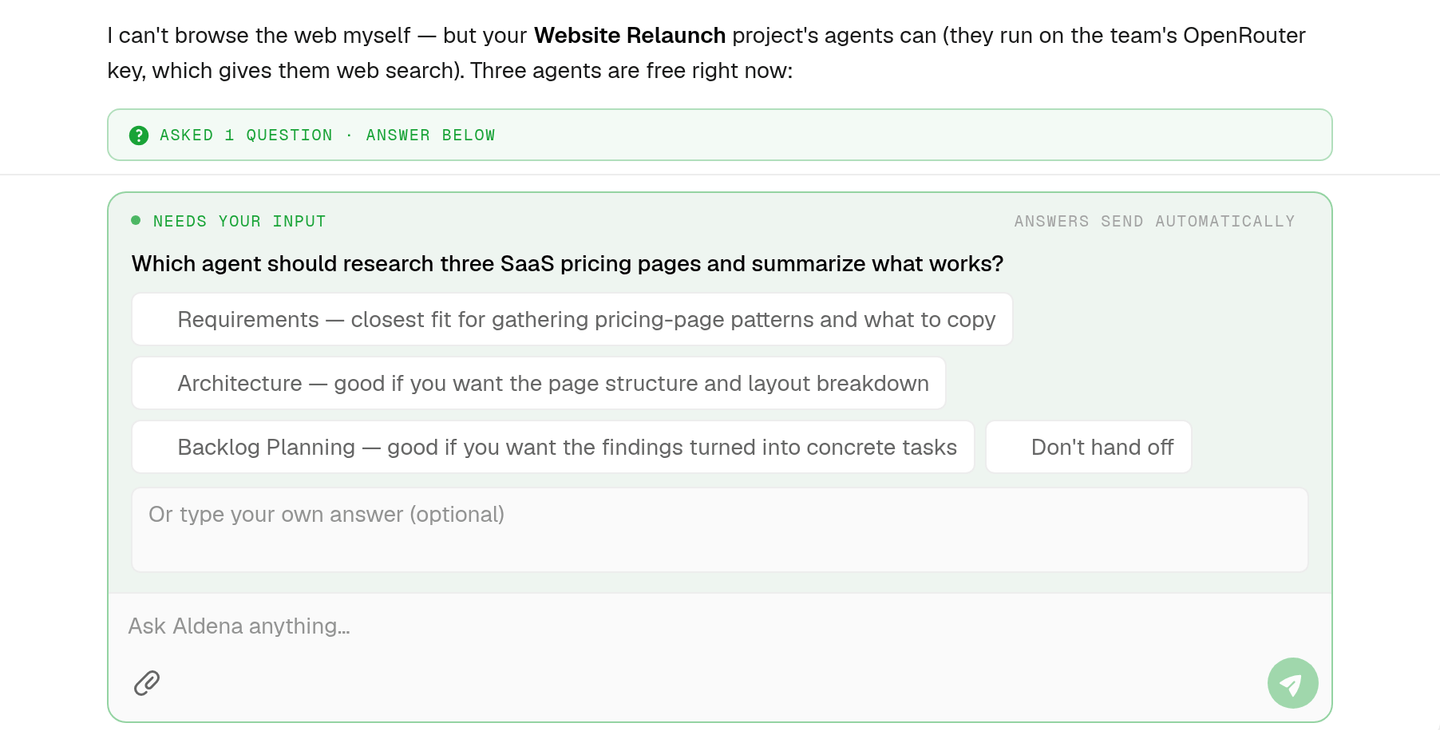
project agents can, once their project is set up for it. for such a request, aldena says in one line what is missing and offers to hand it over.
the offer names up to three agents from your projects that are set up for the job, plus the choice not to hand off.
pick one and aldena starts a chat with that agent, writes it a self-contained brief from your conversation, and gives you a link to the chat.
if no agent fits, it says what is missing and offers a change it can make or the page where you can. it never claims results it lacks.
opening pages and signing in
ask for a page and aldena answers with a link card. the tab moves there only when you asked to go.
a card can open a team's inbox, projects, agents, skills, providers, billing, members or settings, a project and its settings, an agent chat, or your account and permissions.
it follows the same rules as the sidebar, so billing is for a team's owners and admins, and a page you cannot open is refused rather than linked.
aldena can also list a project's connectors with their status and account, connect or disconnect one. connecting returns a sign-in card that opens the service in a new tab.
the connection finishes once you complete that sign-in. a connector that is already connected, a full plan and access that still needs approval are each refused plainly.
reconnecting an mcp server works the same way: a server that needs a browser sign-in returns a card, and the rest come back with their new status.
entering a token, picking a jira site and picking a bitbucket workspace stay in the project's settings.
owners and admins can have it revoke a pending team invite, so its link stops working, or resend one, at most once a minute per invite.
api keys and the docs
ask aldena about the rest api, such as how keys authenticate or what an endpoint returns, and it reads the developer docs at docs.aldena.ai and answers from them.
each answer links the page it used. when the docs cannot be read, it says so and links the site instead of guessing.
aldena also lists your api keys with their name, hint, access and last use, and renames, disables, re-enables or deletes one after you approve.
it never creates a key or shows a secret, because a secret must not land in a chat.
ask it for a new key and it links you to account → api keys instead.
you approve what it changes
your account's permissions set a policy for every concierge tool. agent chats, connectors and api & docs have their own groups there, beside teams and members, projects and the rest.
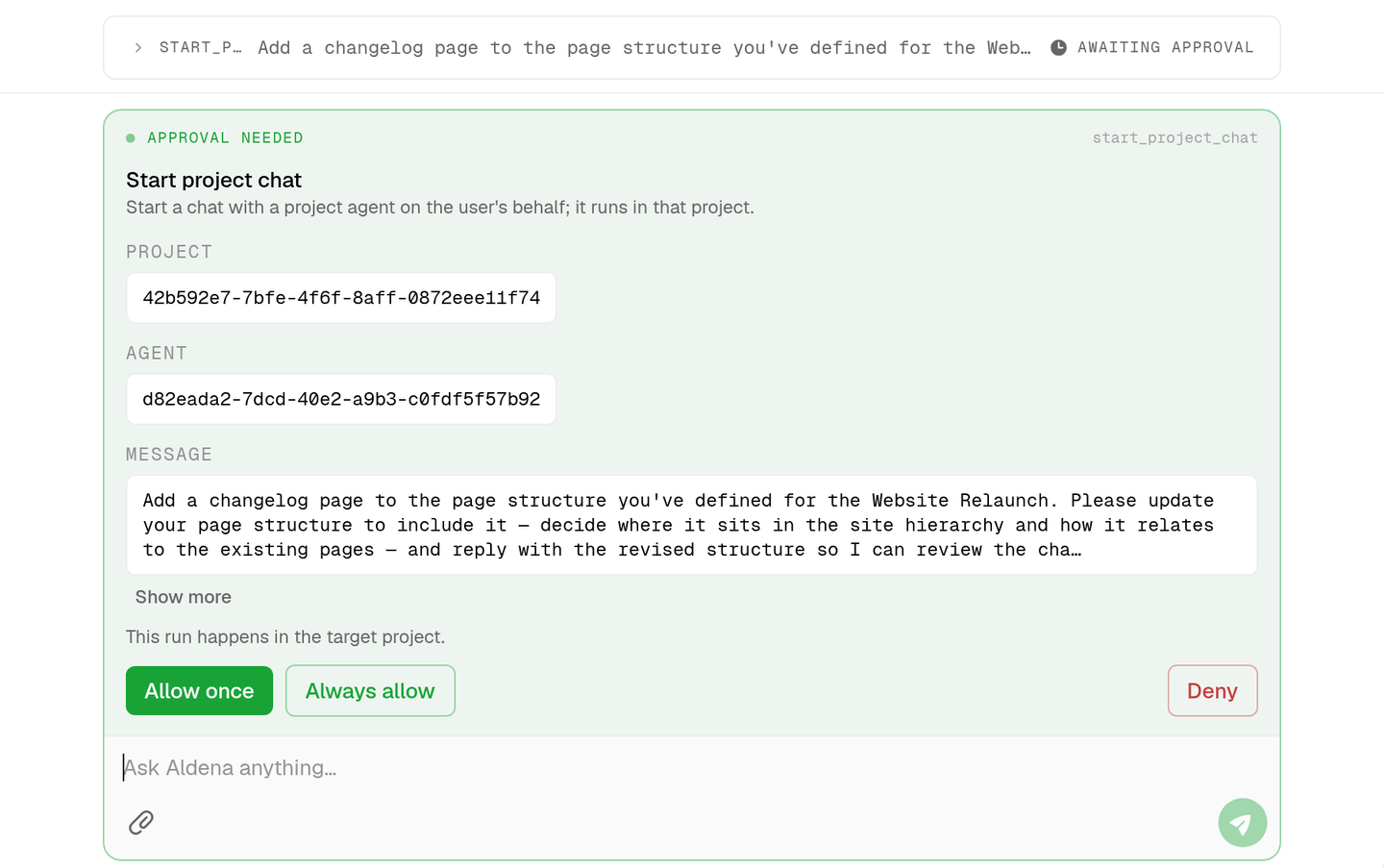
each policy is allow, ask or deny. tools that only read start on allow, and tools that change something start on ask.
on ask, aldena shows you the exact call before it messages an agent, stops a run or disconnects a connector. opening a page changes nothing, so it never asks.
pair it with the agent roster for who it can hand work to, and the org chart for how those agents pass work between them.
faq
does the concierge cost extra?
no. it runs on aldena's own model account and is included with the plan. a message it sends to a project agent runs exactly as if you had typed it in that chat.
can aldena answer my agents' questions or approvals?
no. those are answered by people, in the team inbox or the project's chat. aldena tells you a chat is waiting, with how many questions and approvals are open, and links you to the inbox.
will aldena tell me when an agent finishes?
no. it reports status when you ask, from the agent's chat as it stands at that moment.
can it do more than i can?
no. every tool checks your own team role and project access, so it cannot open a project you cannot reach, and its invite tools need an owner or admin.
can my teammates see my conversations with aldena?
no. conversations belong to the person who started them. what teammates see is the result, such as a message aldena sent into an agent chat, which shows as an ordinary message from you.
are the files i attach passed on to agents?
no. aldena can read images you attach, and when it hands work off it describes them in the brief. attach the files in the agent's chat if the agent needs them.
spin up your first project.
one project per client, product, or piece of work, staffed with intake, requirements, build and code review agents.