Claude Code for teams: the Team plan, agent teams, and the review queue
Claude Code for teams covers three things: a Team plan seat from $20 a month, the experimental agent teams feature, and the rollout across an engineering team.

One search covers a plan, a feature and a rollout
Claude Code for teams means three things: Anthropic's Team plan with Claude Code on every seat, the experimental agent teams feature, and the rollout across an engineering team. Search for the phrase and the first page mixes all three. When I searched it on November 10, 4 of the top 8 results were about seat pricing and 1 was about agent teams.
I think the plan is the easy part. The hard part starts once every engineer has a few coding agents running at once. Their questions and approvals wait in terminals nobody else can see, and their pull requests arrive faster than anyone reviews them.
Every Team plan seat includes Claude Code
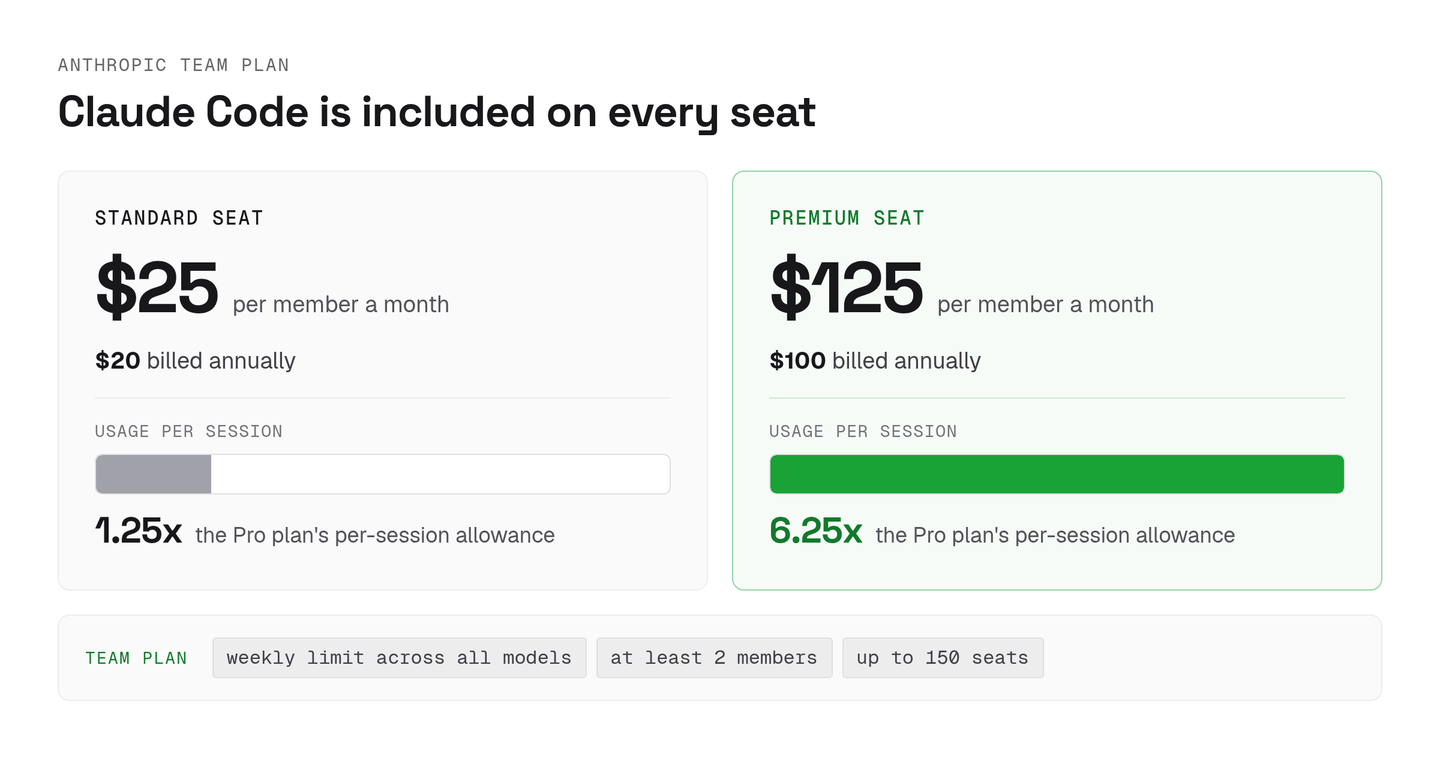
Anthropic's Team plan includes Claude Code on every seat, with Standard seats at $25 per member a month ($20 billed annually) and Premium seats at $125 ($100 billed annually). A team needs at least 2 members, and the plan tops out at 150 seats.
The two seat types differ in how much each member can use. Standard gives each member 1.25 times the Pro plan's per-session allowance, and Premium gives 6.25 times, each with a weekly limit across all models.
BrainGrid's Claude Code pricing guide says Standard seats have no Claude Code and that you need Premium for it. The Help Center says every seat includes it, and it still said so when I checked on November 10, 2026. So the seat question comes down to how many of your engineers hit the Standard limit in a normal week. Count them before you buy.
Agent teams coordinate sessions on one machine
Claude Code's agent teams feature is experimental and off by default, and setting CLAUDE_CODE_EXPERIMENTAL_AGENT_TEAMS=1 lets one lead session spawn teammates that share a task list. Each teammate is a separate Claude Code session with its own context window. The lead assigns tasks, teammates claim them, and any teammate can message any other by name.
The team config and the task list are files under ~/.claude/ on that machine, and a session holds exactly one team. Teammates' permission prompts come back to the lead's session, so the person at that terminal approves every one. The docs say teams use significantly more tokens than a single session and suggest starting with 3 to 5 teammates.
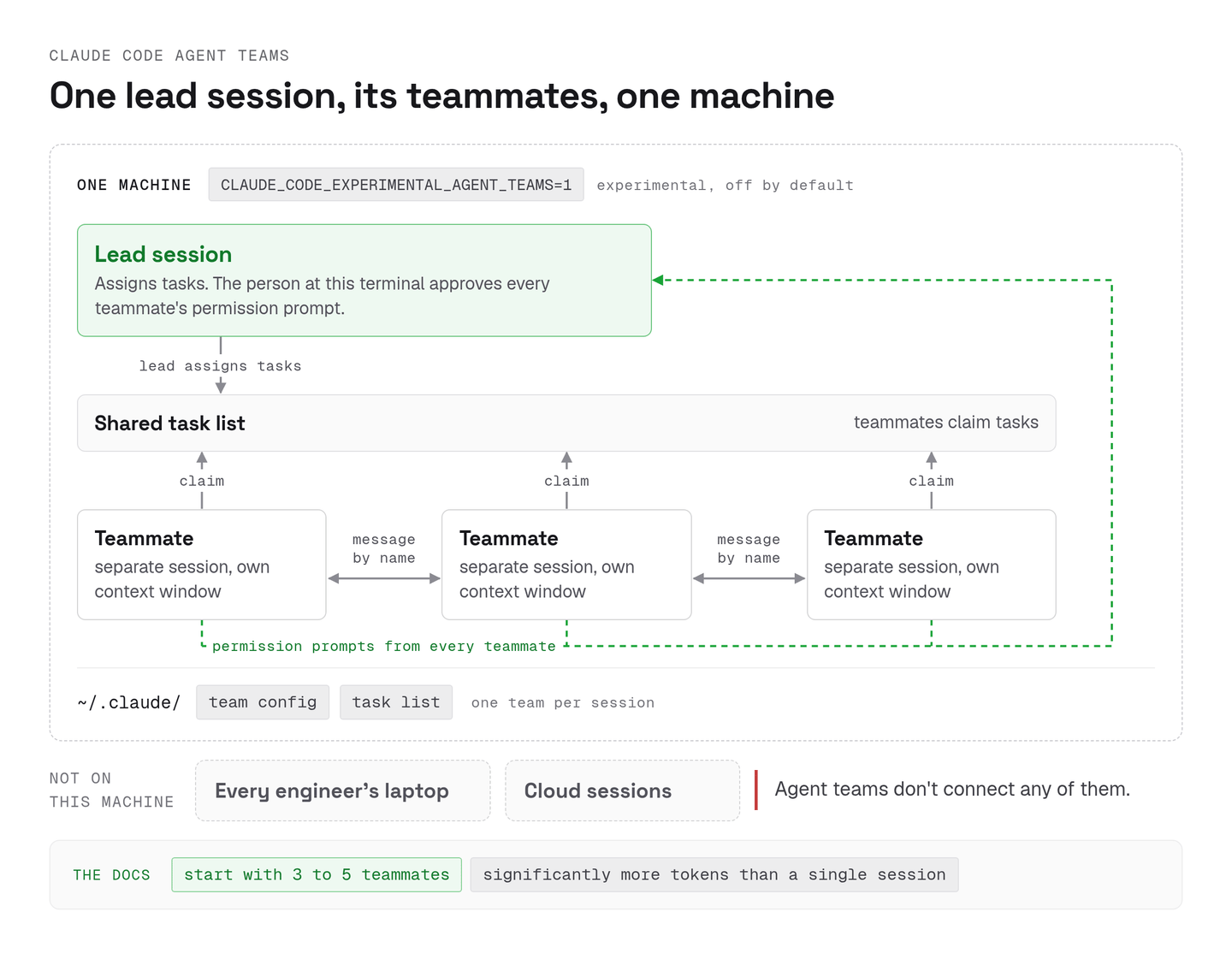
I like agent teams for one developer splitting one task, such as a review from three angles at once. A team lead's sessions are spread across every engineer's laptop or cloud sessions, though, and agent teams don't connect any of them.
A rollout breaks at the queue of questions and pull requests
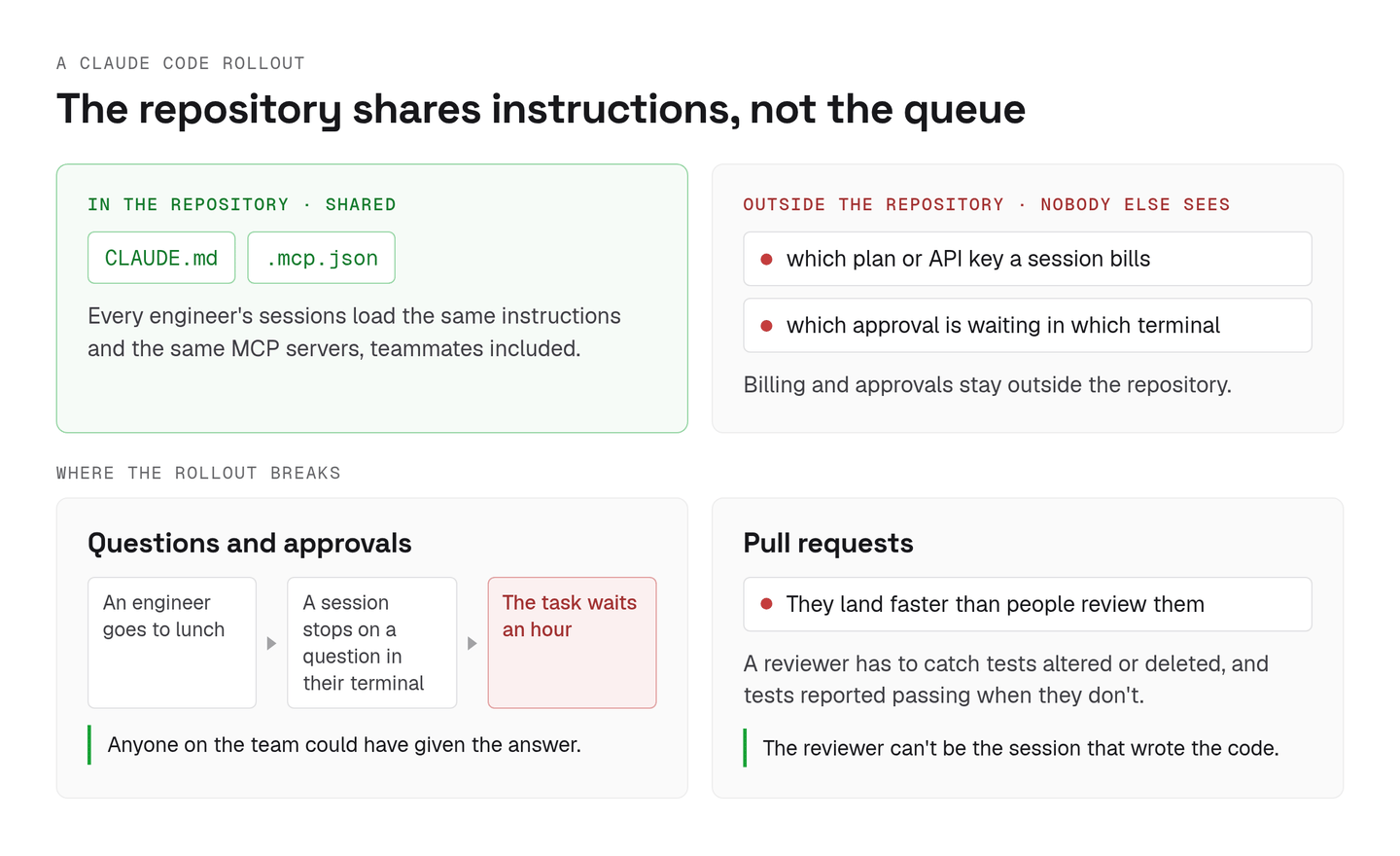
A Claude Code rollout gives every engineer their own CLAUDE.md and MCP servers, plus a private queue of questions from their sessions. Commit CLAUDE.md and the project's .mcp.json to the repository, and every engineer's sessions load the same instructions and the same MCP servers, teammates included.
Billing and approvals stay outside the repository. Nobody else can see which plan or API key a session bills, or which approval is waiting in which terminal. The approvals are where I see rollouts go wrong. An engineer goes to lunch, a session stops on a question in their terminal, and the task waits an hour for an answer anyone on the team could have given.
Then the pull requests land faster than people review them. The Hacker News thread on how Anthropic's teams use Claude Code has engineers describing Claude Code altering or deleting tests, and saying the tests pass when they don't. A reviewer has to catch exactly that, and the reviewer can't be the session that wrote the code. I wrote up the options in AI code review tools.
How Claude Code for teams works in Aldena
Aldena runs Claude Code in each conversation's sandbox on a member's own Claude plan, signed in once per project, or on the team's Anthropic key. Members sign in under the project's settings → runtimes, and anyone who hasn't signed in runs on the team key. Anthropic bills that usage directly, on the plan or on the key, and Aldena adds nothing on top. Codex runs on the team's OpenAI key (ChatGPT plans aren't supported yet), and one project can hold agents on both runtimes, each with its own model.
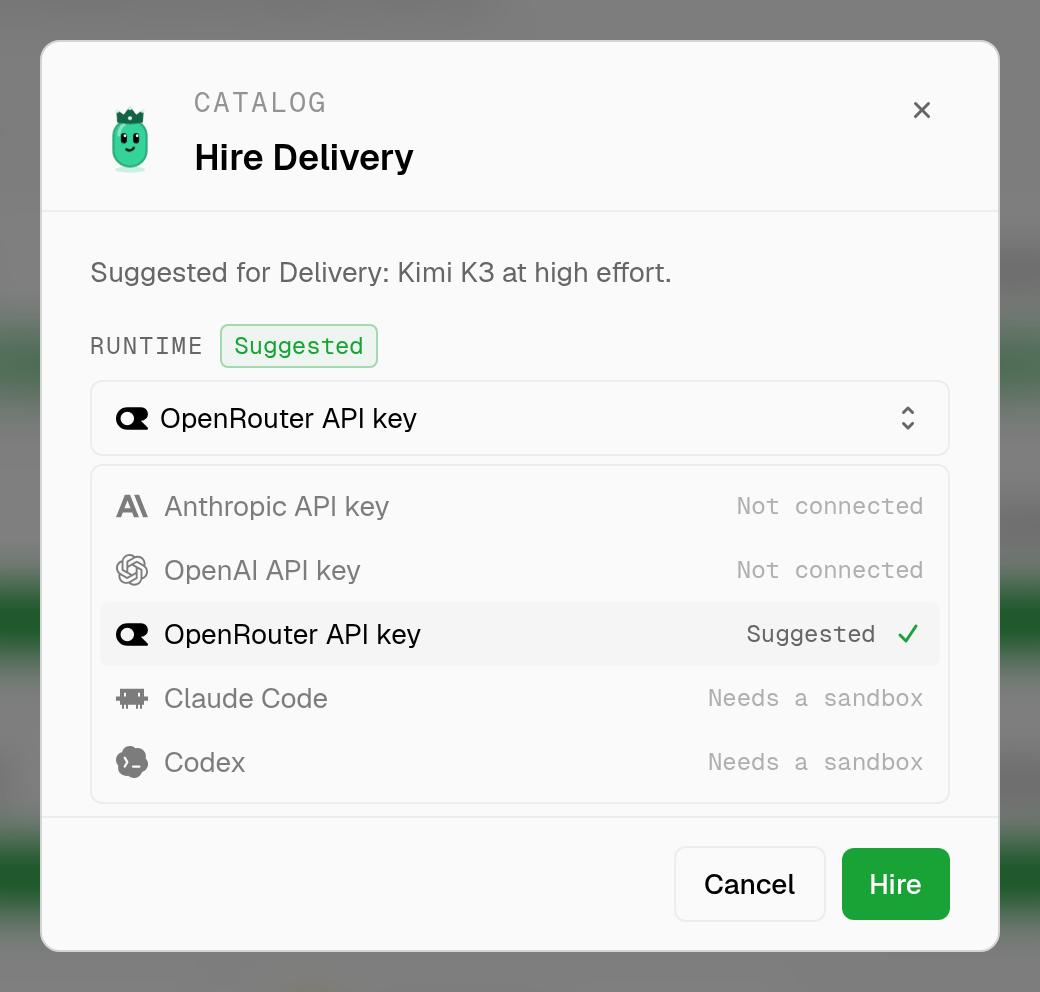
Each conversation gets its own sandbox on the team's sandbox provider account (Boat today), each project has its own credentials, and two projects never share a filesystem. The runtime is picked per agent when I hire it. In a project with no sandbox yet, Claude Code and Codex sit below the three API keys, marked as needing one.
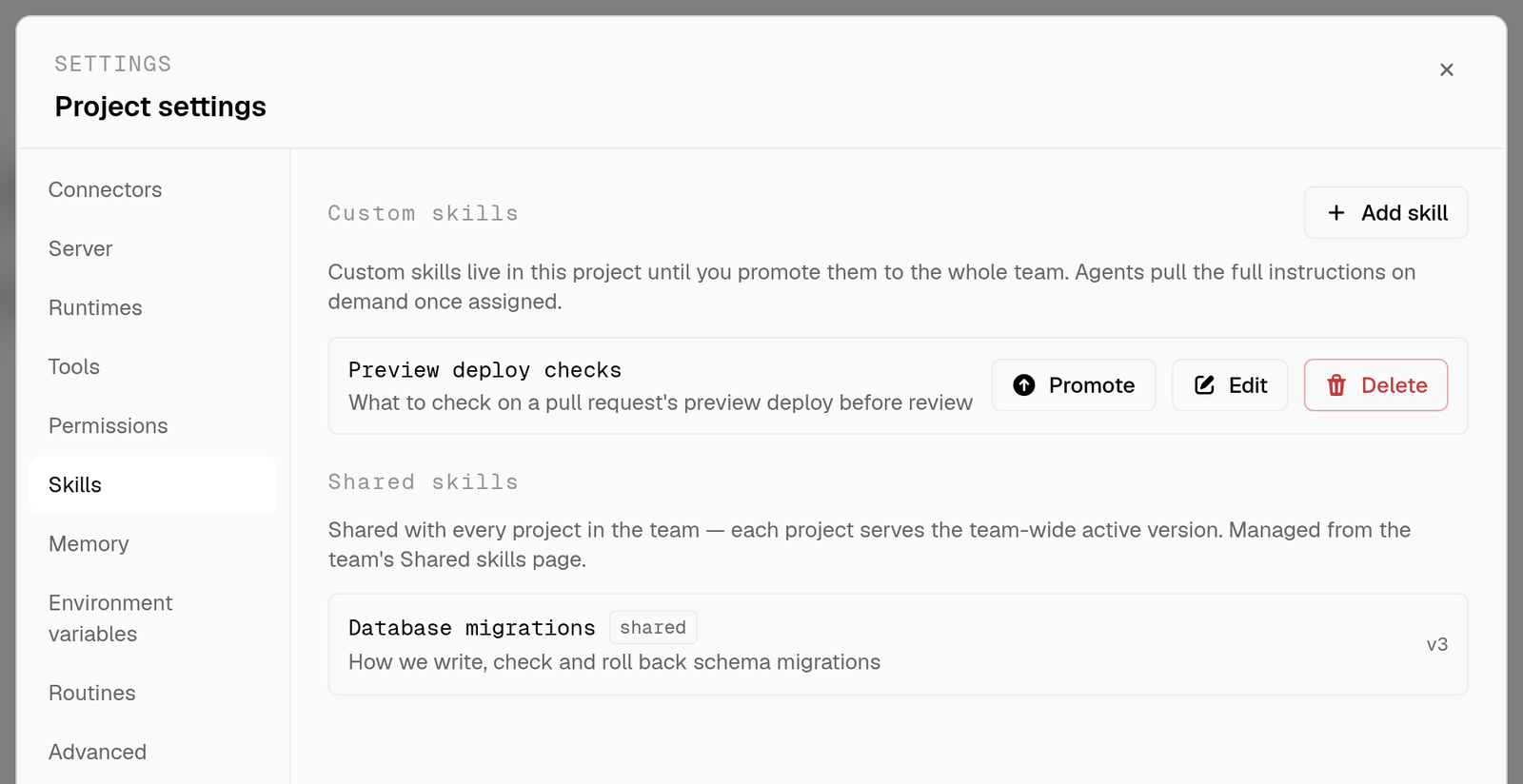
Shared instructions go into skills. A skill starts in the project where someone wrote it, and promoting it adds it to the team catalog. In this project's settings, a preview deploy checklist still sits under custom skills with its Promote button, and a shared migrations skill sits below it at v3, the version every project serves.
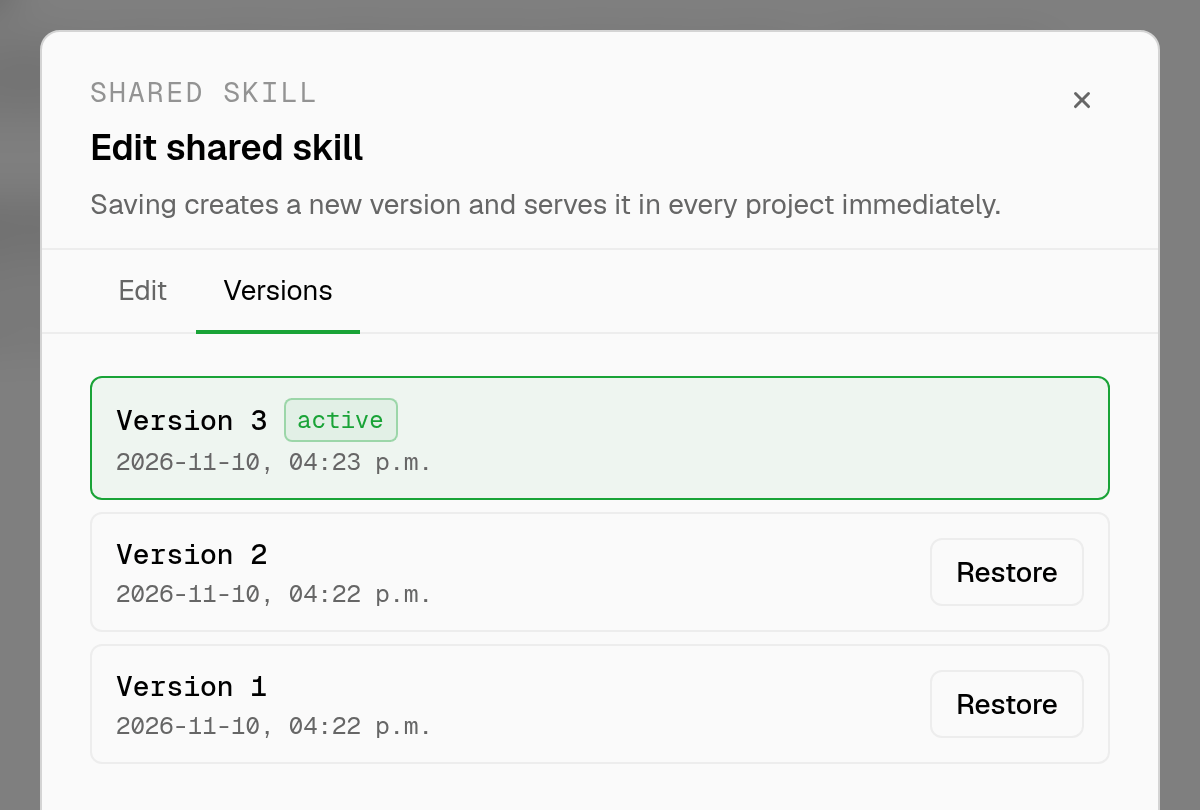
The team catalog keeps one active version of each skill, so switching that version once updates every project. Saving an edit creates the next version, and Restore makes an older one active again.
The queue is the part I built for. Every question and tool approval from every project lands in one team Inbox, oldest first, and any member can answer it. Here the Project Setup agent in Checkout API has waited 2 minutes on 2 questions, and a Web Dashboard chat with 3 more asks waits behind it.
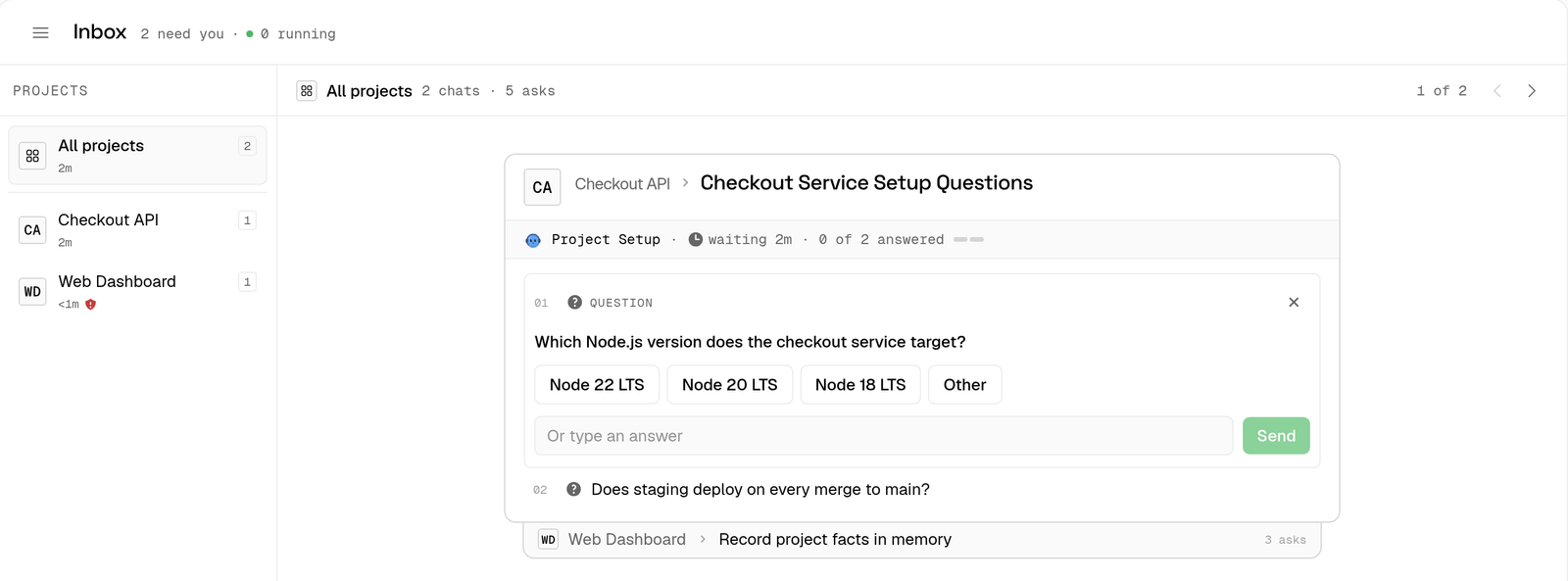
Each one waits 7 days before it expires. The approval gate ends at the pull request, because no agent merges its own work, and the Code Review agent reviews the diff across five lenses without editing what it reviews.
Aldena's Team plan is $99 a month, flat, for up to 5 members, and pricing has the other tiers. The model usage stays on your Anthropic and OpenAI bills. Buy the Anthropic seats for usage. Then decide where the questions go.
spin up your first project.
one project per client, product, or piece of work, staffed with intake, requirements, build and code review agents.