AI agent frameworks: what they give you, and what they don't
What an AI agent framework actually provides, how crewAI, LangGraph, AutoGen, and the provider SDKs differ, and the infrastructure none of them ship.

A framework is a vocabulary for agent teams, not the team
An AI agent framework is a code library. It gives you the building blocks for agents: a way to define a role, a way to describe a task, and a way to wire in tools. It also gives you a process model that decides who runs when. That is all a framework does. IBM's topic page on crewAI calls the best-known example an open source multiagent orchestration framework, where role-playing agents work together as a crew to complete tasks. The same description fits the rest of the category.
So a framework hands you a vocabulary for agent teamwork. Everything that makes the team safe to run is still your job: the hosting, the permissions, the memory infrastructure, the audit trail.
I think most confusion about this category comes from expecting that second half. This post walks through the building blocks every framework gives you, using crewAI's names because they are the clearest. It then maps how the major options differ. And it lists what none of them ship. That list decides whether you should pick a framework at all.
The four primitives every framework gives you
Frameworks disagree on names and on control flow. Under the surface they all give you some version of the same four things. crewAI states them most plainly, so it makes a good teaching model.
Agents. An agent is an LLM, a large language model, plus a job description. In crewAI that is three attributes: a role, a goal, and a backstory that shapes behavior. An agent set up as a researcher behaves differently from one set up as a writer. Same model, different framing. Every framework has this idea, whether it calls the thing an agent, a node, or an assistant.
Tools. Tools are the functions an agent may call: search, file access, a shell, an API. They turn a text generator into something that acts. Frameworks ship a toolkit and let you write your own tools. The quality of an agent system depends on its tool definitions more than on almost anything else.
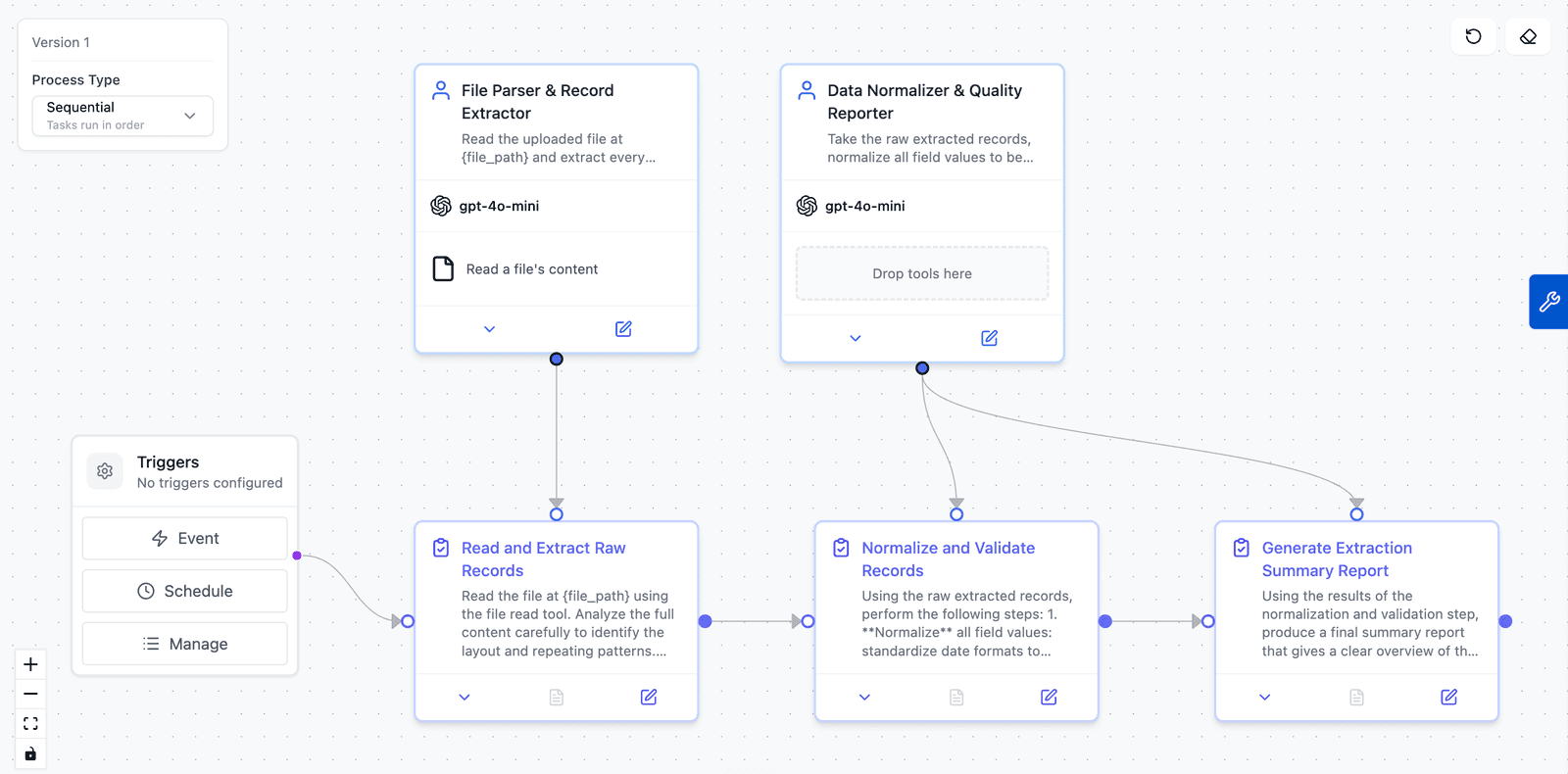
Tasks. A task is a unit of assigned work. It has a description, an expected output, and one responsible agent. The useful part is chaining. The output of a research task becomes context for a writing task. That is how you build a pipeline of specialists, without any single agent holding the whole job in one context window.
Process control. This is the part people mean when they say orchestration. crewAI ships two processes. Sequential runs the tasks in an order you set in advance. Hierarchical creates a manager agent that assigns work, reviews outputs, and decides when the job is done. A crew is the bundle of agents, tasks, and a process, run as one unit. Whatever framework you pick, most of the design work sits in this layer. You decide who runs when, and who checks whom.
How the major frameworks differ
Four groups cover the field. Each one makes a different trade between speed and control.
Role-based teams. crewAI and AutoGen sit here. You describe who does what, and the framework handles the sequencing. crewAI leans on declared structure: roles, tasks, and a chosen process. AutoGen, from Microsoft, is conversation-driven. Its agents talk in structured group chats until a stop condition fires. This is the fastest path to a working multi-agent demo, and it gives you the least control over the exact order of execution.
Graph-based control flow. LangGraph and LlamaIndex Workflows model the system as an explicit state machine: nodes, edges, checkpoints, resumable state. These give you the most control. They are also the hardest to start with. Teams that outgrow role-based frameworks usually end up here. A graph lets you write the exact loop, retry, and escalation behavior you want. You do not have to trust a manager agent to invent that behavior while the work runs.
Provider SDKs. An SDK, a software development kit, is a code library the model lab maintains for its own models. The labs ship thin agent layers of that kind: the OpenAI Agents SDK, the Claude Agent SDK, and Google's ADK. The OpenAI one replaced the experimental openai/swarm. These trade portability for tight integration with one provider's models and tracing.
Swarm-style handoffs. A crew and an agent swarm work differently. A crew is a fixed roster with a declared process. A swarm is dynamic. While the work runs, its agents decide which peer should take over next. AutoGen's Swarm pattern works that way, with handoffs carried in shared message context. Swarms are strongest when nobody can predict the path through the work. They are also the hardest of these four groups to take from a demo to a production system. Practitioners have been saying so on the OpenAI developer forum for over a year.
The coordination patterns themselves sit one layer up: supervisor, pipeline, fan-out, and when each one is worth the cost. That layer is the design work of AI agent orchestration.
Single agent or a team
Frameworks support both single-agent and multi-agent architectures. My advice is plain. One strong agent solves most well-defined problems. A team is only worth the cost when the work splits into separate pieces.
A single agent with good tools is simpler to build and simpler to debug. It struggles in three cases. The job spans genuinely different specialties. The context for the whole job cannot fit in one window. Running several paths at the same time would cut the total time. Those three conditions are the test for going multi-agent. Being excited about the architecture does not count.
When the test passes, a team gives you specialization, because each role carries its own instructions and tools. It also gives you smaller contexts per agent and work that runs in parallel. When the test fails, a crew is slower and more expensive than the single agent it replaced. It also gives the work more places to get lost. I walk through building a first team role by role in how to build an AI agent team. The first lesson there is to start smaller than feels impressive.
What no framework gives you
Every framework in the list above is a library that runs in a process you own. Once the demo works and you want it running real work every day, you inherit a second project. That second project is the bigger one.
- Hosting. The crew runs somewhere. You provision the compute, keep it patched, and keep the process alive through provider outages and long runs.
- Credential handling. Real work means real API keys, repo access, and account tokens. Each one has to be scoped so one agent's task cannot read another project's secrets.
- Memory infrastructure. Frameworks pass context between tasks inside a single run. Memory that lasts across runs is a different thing. You design that storage and retrieval yourself, plus a way to see what got stored and correct it.
- Approval workflows. Most frameworks offer a human-input hook that pauses a task in the terminal. A production gate has to do more: the pause has to last, be reviewable, and still be answerable hours later without killing the run. That is an application you build.
- Delivery. A crew's output is a return value. Turning it into a pull request on your repo, tickets in your tracker, or a document where your team works takes integration code. That is one piece of code per system, and you maintain it forever.
- Cost metering. Token spend per agent and per run, measured against a budget. The budget has to stop the work instead of surprising you at the end of the month.
- Observability and audit. IBM's page notes that crewAI integrates with third-party monitoring tools. That is accurate. Building the integration is your job, and so is designing the audit trail.
None of this is a criticism. Frameworks scope themselves to the reasoning loop on purpose, and the good ones say so plainly. But I keep hearing teams estimate an agent project at two weeks because the framework tutorial took an afternoon. The missing months are all in the list above.
When a framework is the right call
Reach for a framework when the agent is your product. Reach for one when you need custom control flow that no platform's built-in rules will match. Reach for one when the agents must live inside an existing codebase, or when policy says every component runs on infrastructure you own.
In those cases the second project is worth building, because it is what makes your product hard to copy. Pick from the four groups above based on how much control you need.
Reach for a managed platform when agents are a means to an end. In that case you want the output, and you would rather someone else built and ran the system. I give founders one test. If the agent system disappeared tomorrow and the work still shipped some other way, buy, do not build. Buying then turns into a choice between multi-agent platforms, aldena included.
How the framework primitives map in aldena
Aldena is what the framework concepts look like when the second project is the product. So the mapping is direct.
Agents with roles are a roster of prebuilt roles you hire into a room. A room is the workspace for one project. The roster covers an analyst, an architect, an engineering manager, developers, a reviewer, and a bug fixer. Each role has clear rules about what it owns and what it refuses. Model choice is per agent, picked from a large catalog, so the reviewer can run on a heavier reasoning model than the room assistant.
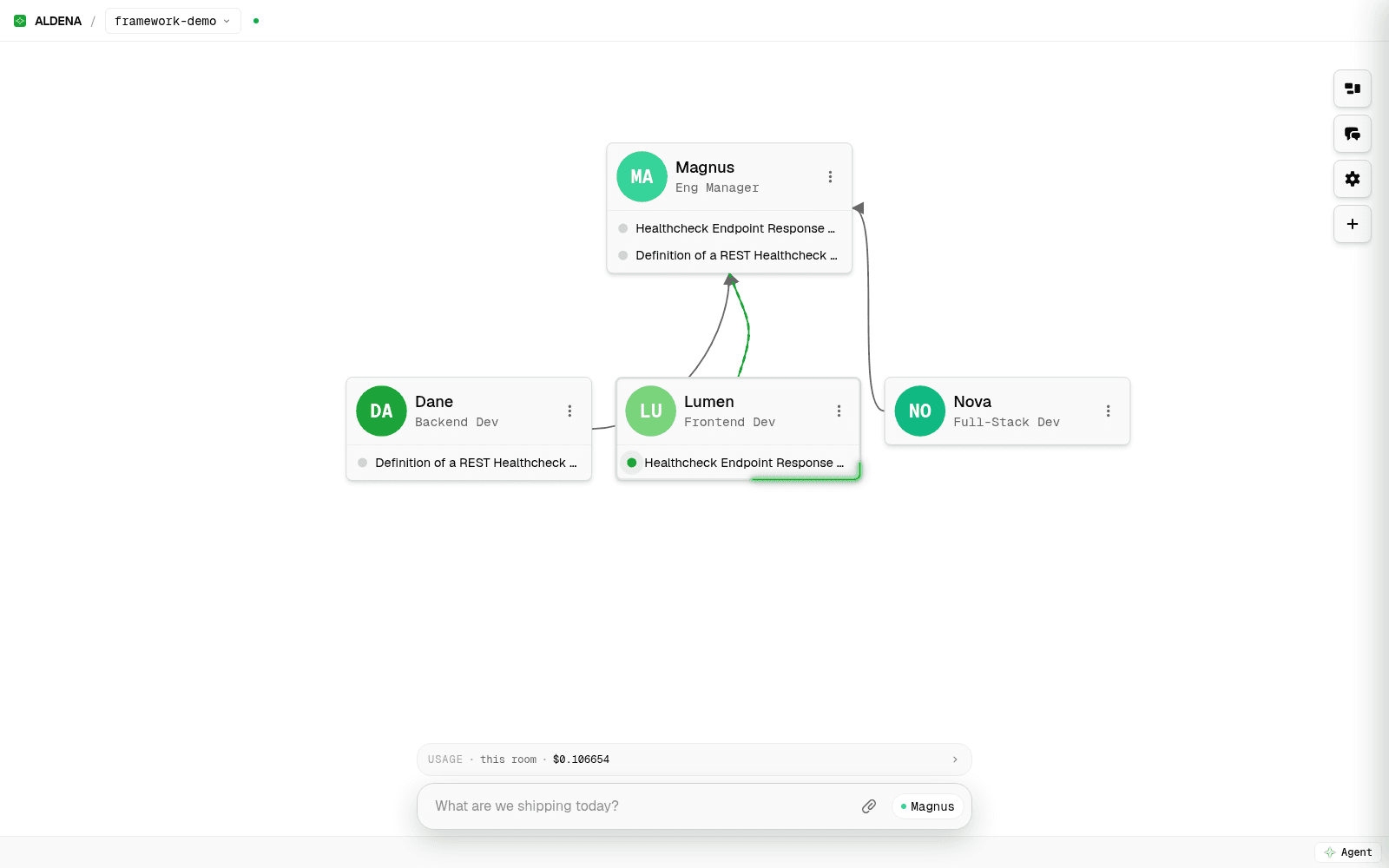
Process control is an org chart you wire on a canvas instead of code you write. An org chart here is the picture of who reports to whom. Draw a line from an agent to its manager, and work routes down that line while results come back up it. The caps are hard. An agent can only hand out a few pieces of work per turn. A chain can only run so deep before it stops. This is the hierarchical process made visible, and you watch the lines light up while work moves.
The crew's runtime is an isolated room with its own server, credentials, and memory. If something goes wrong inside one project, the damage stops at the room boundary. Memory that lasts is built in, private per agent plus shared across the room. A Memory tab lists every entry with its author, so a wrong fact can be found and deleted.
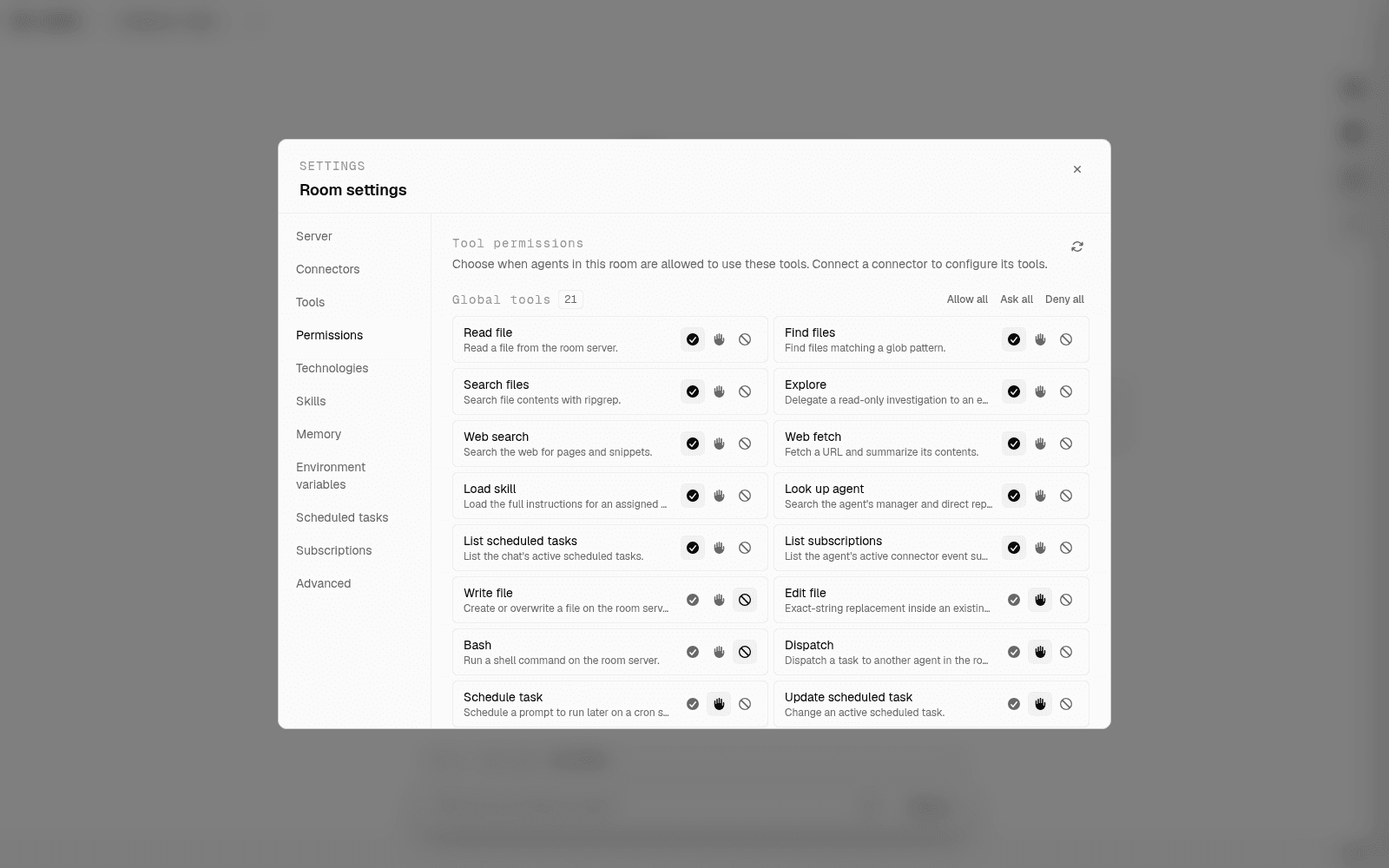
The human-input hook is a real approval gate, a pause that waits for a person. Every tool carries an allow, ask, or deny policy. A paused run survives until you answer, and no agent merges its own pull request. Delivery lands where your team already works, because connectors like GitHub, Jira, and Slack are attached per room.
How I would choose
There is no single best AI agent framework. Three rules cover most cases.
If you are learning, pick crewAI and build a two-agent crew this week. The concepts transfer everywhere.
If you are building an agent product, pick by how much control you need. Role-based frameworks start fast, graph-based ones give you the exact flow, and a provider SDK fits when you are committed to one lab.
If you are trying to get work done, go back to the list of what no framework gives you. Count only the items you are prepared to build and maintain yourself. If that count is not all seven, the framework was never the decision. The platform was.
spin up your first room.
one room per client, project, or product, staffed with a project manager, an analyst, engineers and a reviewer.