start using Kafka with your agents
sign up, open a project, and add Kafka to its setup script in settings → server.
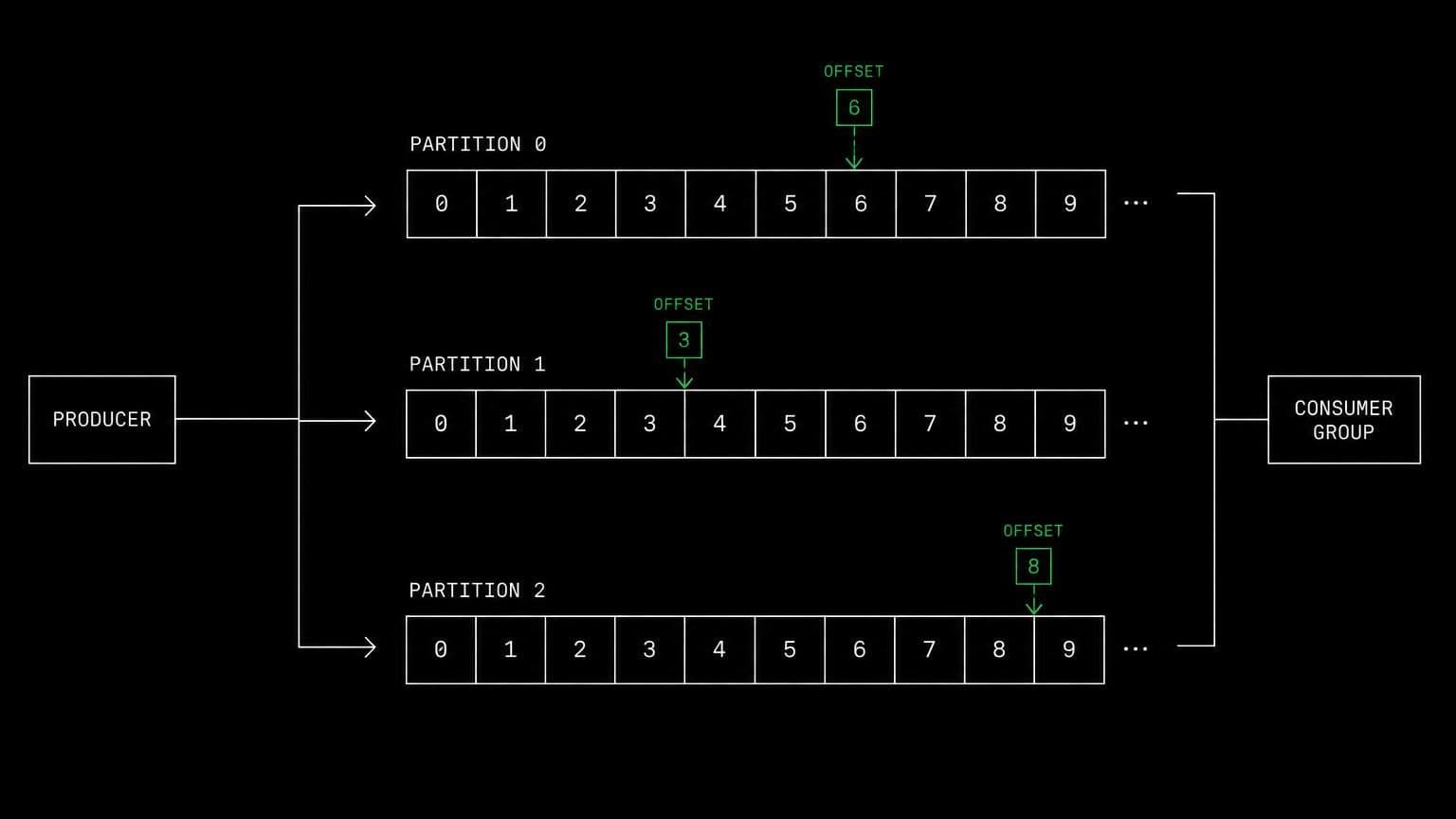
kafka ai agent: a kraft broker per project for producers and consumers
add apache kafka in kraft mode to a project's setup script and its agents create topics, produce and consume messages, and inspect consumer groups.
- runs on
- conversation sandbox
- installed by
- setup script
- category
- broker
kafka problems are almost always partition and offset problems, and those are invisible without a broker. installing kafka in each conversation's sandbox gives an agent a single node kraft cluster it can experiment on freely.
what agents do with it
once the setup script has run, the broker is running as a service in the conversation's sandbox with the standard kafka scripts available. agents create a topic with a chosen partition count, produce records, run the app's consumer, and read consumer group offsets and lag. when ordering breaks they check which key went to which partition. when a consumer stalls they read the lag rather than the log level.
the experiments that matter
a live broker allows the tests nobody writes: stop a consumer mid-batch and watch the group rebalance, produce with a null key and see records spread across partitions, replay from an earlier offset to confirm the consumer is genuinely idempotent. those run in the conversation's own sandbox, so nothing that happens there reaches anyone else.
example tasks
- 01
events for the same customer are arriving out of order. find out why.
the agent creates a topic on the project's broker, produces with the current key strategy, and shows the records landing on different partitions.
bashreadedit - 02
prove the consumer can be restarted without losing or duplicating work.
it produces a batch, kills the consumer partway, restarts it in the conversation's sandbox, and reports the offsets and the resulting record counts.
bashgrep
what to know before installing
the project needs a sandbox, with java installed earlier in the setup script. a script for kafka downloads the release, verifies its checksum before unpacking, formats kraft storage, and registers a service, so the broker comes back up whenever the sandbox wakes.
how to install Kafka
Kafka goes in the project's setup script, not once per team and not on your laptop.
- give the project a sandbox
Kafka runs in each conversation's sandbox, on your team's own sandbox provider account. an owner or admin connects a provider once on the team's providers page, then picks it and a default size for the project, at creation or later in settings → server. a project with no sandbox has nowhere to run it.
- add it to the setup script
settings → server holds the project's setup script, a bash script that runs once on each new sandbox, in /project, with sudo. add Kafka's install commands there and save.
- the next sandbox runs it
the script runs when a conversation's sandbox is created or reused, on the conversation's first turn. settings shows the last run with its exit code and output, and a failed run leaves the sandbox usable rather than blocking the project.
- agents use it through bash
from then on every agent in the project reaches Kafka with the bash tool, on the same filesystem as the checkout they are working in. the conversation's sandbox keeps it between turns, sleeping when idle and waking with the next one.
where Kafka actually lives
each conversation in a project gets its own sandbox on your team's sandbox provider account, and the project's setup script in settings → server decides what is on it. two projects never share a filesystem, so a version pinned for one client cannot collide with another's.
the sandbox provider bills its machine time to your team's account while it runs, and aldena adds nothing. the sizes are on isolated projects, and what agents may run in the sandbox is governed by the project's tool permissions.
faq
what does installing kafka on a project give the agents?
a single node kafka broker running in kraft mode in each conversation's own sandbox, with the standard kafka scripts under its install directory. agents create topics, produce and consume, and read consumer group offsets and lag through the bash tool.
does kafka need anything installed first?
yes, java. install java earlier in the setup script. the kafka part then downloads the release, verifies its sha512 checksum, formats storage, and runs the broker as a service.
why does stream work need a real broker?
because partitioning and consumer group rebalancing decide the behaviour, and neither shows up in a test with a fake. an agent that can create a topic with several partitions and watch offsets move sees why ordering broke.
how heavy is it?
kafka plus a jvm plus an application is the heaviest combination in the catalog, so a project running it wants the standard size or larger. an owner or admin can change the default size for new conversations in settings → server.
spin up your first project.
one project per client, product, or piece of work, staffed with intake, requirements, build and code review agents.