start using Google Drive with your agents
sign up, open a room, and authorise Google Drive from its connectors settings.
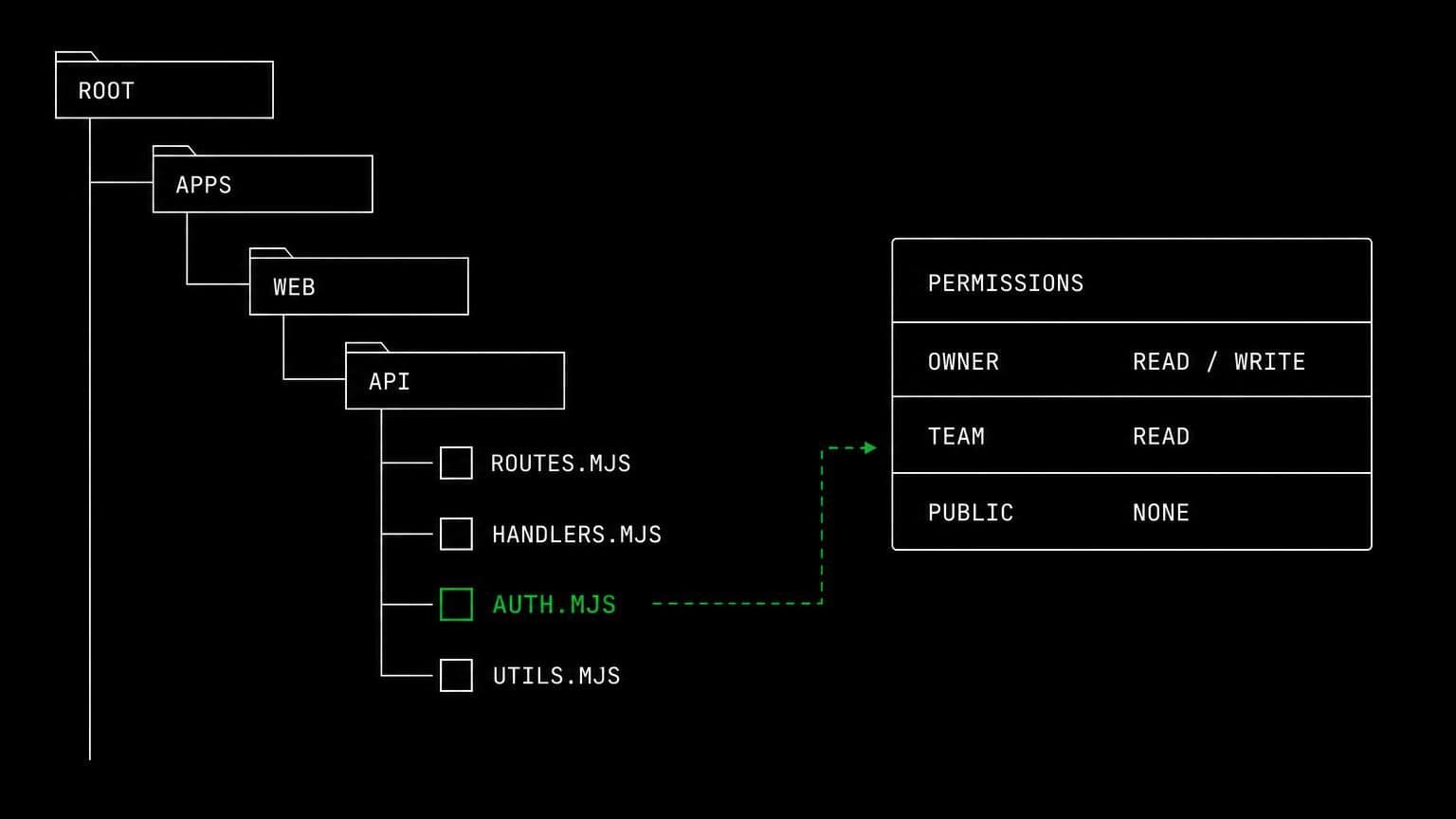
ai agent for google drive: search the files, read them, work from them
connect google drive to a room and its agents search and list files, read content, check sharing permissions, and create or copy files under approval.
- read tools
- 7
- write tools
- 2
- scopes
- 2
drive is where the source material lives: the spec, the brief, the export someone pasted a screenshot of. connecting it to a room means an agent can go and read the original instead of working from a summary.
finding and reading
drive_search_files searches the drive, drive_list_recent_files lists what changed lately, and drive_get_file_metadata describes a file before anything opens it. drive_read_file_content reads text content directly, and drive_download_file_content pulls raw content when the agent needs the actual bytes, for example a csv it is about to load on the room's server.
permissions are readable too
drive_get_file_permissions reads a file's sharing settings. that is a small tool with an outsized use: an agent asked to summarise a folder can also tell you which documents in it are shared with anyone who has the link, which is usually the answer nobody asked for and everybody needed.
writing, narrowly
the write side of this connector is deliberately small. drive_create_file creates a new file and drive_copy_file duplicates an existing one, both behind the create and copy files scope and both stopping for approval. there is no tool that edits an existing document and no tool that deletes one, so an approved call can add to your drive but never overwrite what was already there.
example tasks
- 01
read the product brief in drive and turn it into tickets.
the agent finds the document, reads its text, and drafts one issue per requirement in your tracker, quoting the brief rather than paraphrasing from memory.
drive_search_filesdrive_read_file_contentjira_create_issue - 02
pull the latest export and load it into the room's database.
it downloads the raw file onto the room server and imports it with the database client installed there, so the data never leaves the room.
drive_search_filesdrive_download_file_contentbash - 03
which files in the client folder are shared outside the company?
it lists the folder, reads each file's sharing permissions, and reports the ones open to anyone with the link. nothing is changed in the process.
drive_search_filesdrive_get_file_permissionsdrive_get_file_metadata
what it will not do
there is no editing, no deleting, no moving, and no changing who a file is shared with. drive scopes are fixed once the connection exists, so widening them means reconnecting the room, and an agent cannot reach a drive the connected account was never given.
what agents can call
every Google Drive tool an agent in a connected room can reach, split by whether it only reads or changes something. read tools are allowed by default, write tools stop for your approval, and the room's tool permissions can move any of them either way.
drive_search_filesSearch Drive files.
drive_list_recent_filesList recently modified files.
drive_get_file_metadataRead a file's metadata.
drive_get_file_permissionsRead a file's sharing permissions.
drive_read_file_contentRead a file's text content.
drive_download_file_contentDownload a file's raw content.
drive_get_granted_scopesRead the connection's granted scopes.
drive_create_fileCreate a new Drive file.
drive_copy_fileCopy an existing Drive file.
what you grant
scopes are chosen when the room connects Google Drive, and they can be changed later by reconnecting. anything marked off by default stays off until someone deliberately turns it on.
- Read & search fileson by default
Search, list, read, and download files and their metadata and permissions.
- Create & copy fileson by defaultneeds files_read
Create new files and copy existing ones.
how to connect Google Drive
connecting Google Drive takes one oauth round trip, started from inside the room that needs it.
- open the room's connectors settings
connections belong to a room, not to your account and not to the team. open the room that needs Google Drive and go to its connectors panel. connecting it in one room leaves every other room untouched.
- authorise with a real account
any member of the room can start the oauth flow, and they authorise as themselves, so Google Drive records a real identity on every action instead of an anonymous shared bot.
- choose the scopes for this room
the scopes are ticked before you are handed to Google Drive, so the consent screen asks for exactly what the room needs and nothing more. a scope that depends on another cannot be ticked alone. the granted set is fixed once the connection exists, so widening it later means reconnecting.
- the room's agents pick up the tools
every agent in that room can now call the Google Drive tools the granted scopes cover. mutating tools still stop for approval, and disconnecting takes the tools away again in one click.
data handling and security
the objection to an agent with write access is noise: a wrong edit, a wrong comment, a wrong merge. the answer is that nothing mutating happens without a person, and nothing crosses a room boundary.
- one connection, one room
the Google Drive credential is stored against the room it was authorised in. no tool in another room can read it, and there is no team-wide connection to inherit by accident.
- scopes bound at the tool layer
a Google Drive tool that needs a scope the room did not grant is not offered to the agent at all, so a model cannot talk itself into an action nobody authorised.
- approval before anything changes
mutating tools pause the run and wait for a human. you allow once, allow always for that room, or deny, and the agent carries on with the answer.
- an audit trail you can read
every call is a message in the room's chat with its arguments and its result, in the order it happened, so a surprising change is traceable rather than mysterious.
- revocation is one click
disconnect Google Drive and the tools disappear from the room immediately, along with the stored credential and any event subscriptions the agents had opened.
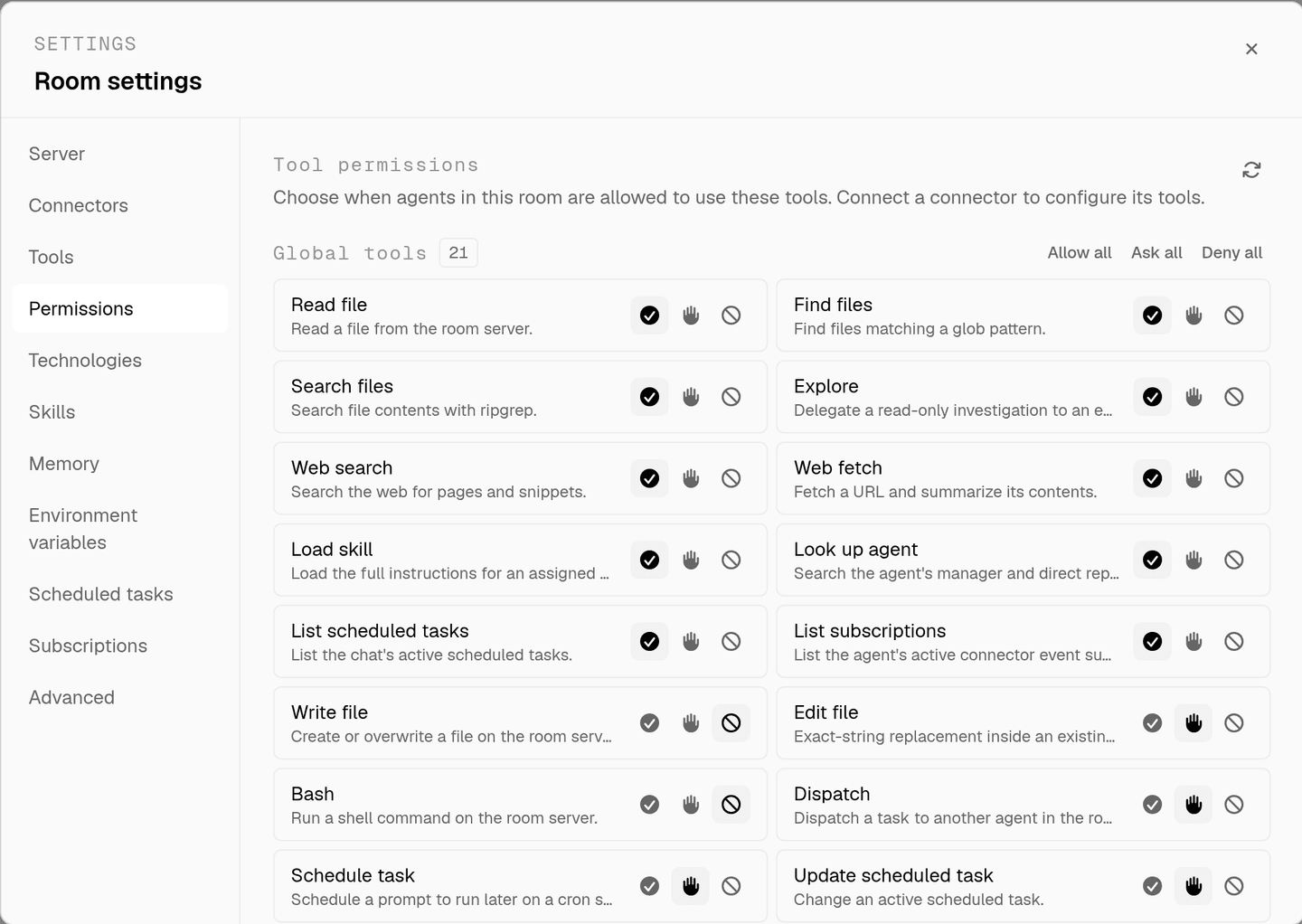
the full approval model, including what agents ask you mid-run, is on human in the loop, and room isolation is on isolated rooms.
faq
can an ai agent read my google drive files?
yes, with the read and search files scope. drive_search_files finds them, drive_read_file_content reads text, and drive_download_file_content pulls raw bytes into the room so an agent can work from a spec or a dataset instead of a pasted excerpt.
can it create or change documents?
drive_create_file and drive_copy_file are behind the create and copy files scope and both ask before they run. there is no tool that edits or deletes an existing file, so the worst an approved call can do is add something new to the drive.
how does the agent know who a file is shared with?
drive_get_file_permissions reads a file's sharing permissions and drive_get_file_metadata reads the rest of its metadata. that is how an agent can flag a document that is shared more widely than it should be before anyone quotes from it.
is google drive available on every room?
google drive is gated per room and turned on by request. until access is granted for a room, the connector shows a request link instead of an authorise button, so the drive tools do not exist for that room's agents at all.
does connecting drive in one room expose it to my other rooms?
no. the credential is stored against the room it was authorised in. another room in the same team sees no drive tools until someone connects it there, which is what keeps one client's documents out of another engagement.
spin up your first room.
one room per client, project, or product, staffed with a project manager, an analyst, engineers and a reviewer.