start using Nginx with your agents
sign up, open a room, and install Nginx from its technologies tab.
nginx ai agent: write the config, test it on a live server
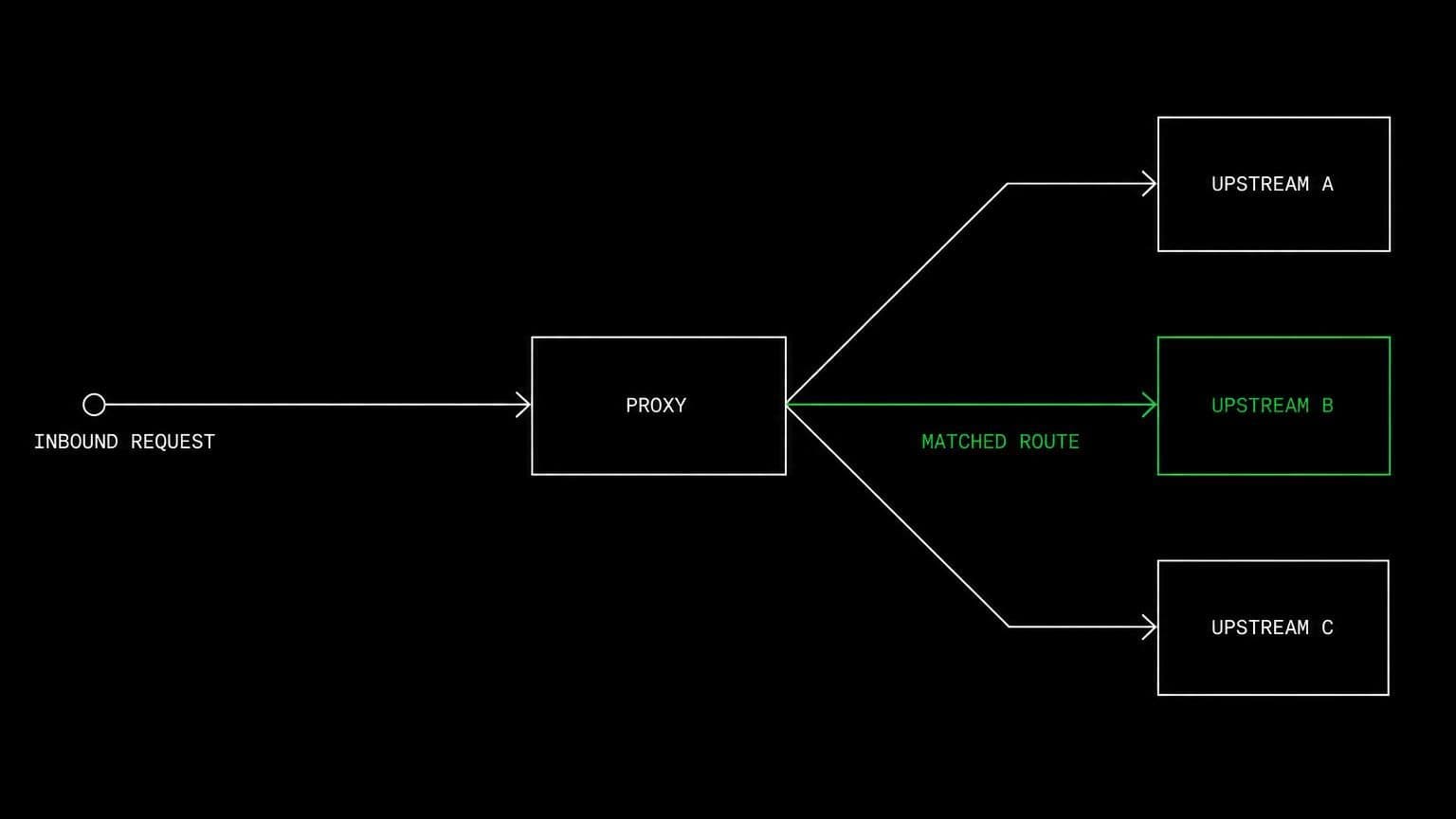
install nginx on a room's server and its agents write server blocks, validate the config, reload the service, and check what the proxy actually returns.
- runs on
- room server
- installed
- per room
- category
- server
an nginx config is a program with unusual matching rules, and reading one is a poor way to find out what it does. installing nginx on a room's server lets an agent write a block, reload, and observe.
what agents do with it
once it reports installed, nginx is running on the room's machine. agents edit a server block, validate the syntax before reloading so a broken config never takes the service down, reload, and then call the endpoint from the same box to see the real response. the access and error logs are on the same filesystem, so when a request goes to the wrong upstream the agent reads which location matched rather than guessing at precedence.
proxying to something the room also runs
the useful pairing is nginx in front of an application the room is already running. with the runtime installed in the same room, an agent can start the app, put nginx in front of it, and verify headers, timeouts and upstream behaviour end to end without leaving the machine.
example tasks
- 01
requests to the api path are hitting the wrong upstream. fix the config.
the agent edits the server block, validates it, reloads nginx on the room server, calls the path, and reads the access log to confirm which location matched.
editbashread - 02
add gzip and caching headers and prove they are being sent.
it changes the config, reloads, and inspects the actual response headers from the same machine rather than asserting the directive is correct.
editbashgrep
what to know before installing
the room needs a paid server tier. nginx is light and sits comfortably on the 4 gb tier beside an application. the install adds the nginx repository, installs the package, and enables the service, exiting early if nginx is already present.
how to install Nginx
Nginx is installed per room from the technologies tab, not once per team and not on your laptop.
- give the room a server
technologies are installed on real hardware, so the room needs a 2 GB, 4 GB, or 8 GB tier. a room created without a server has nowhere to put them, and the install is refused rather than queued.
- open the technologies tab
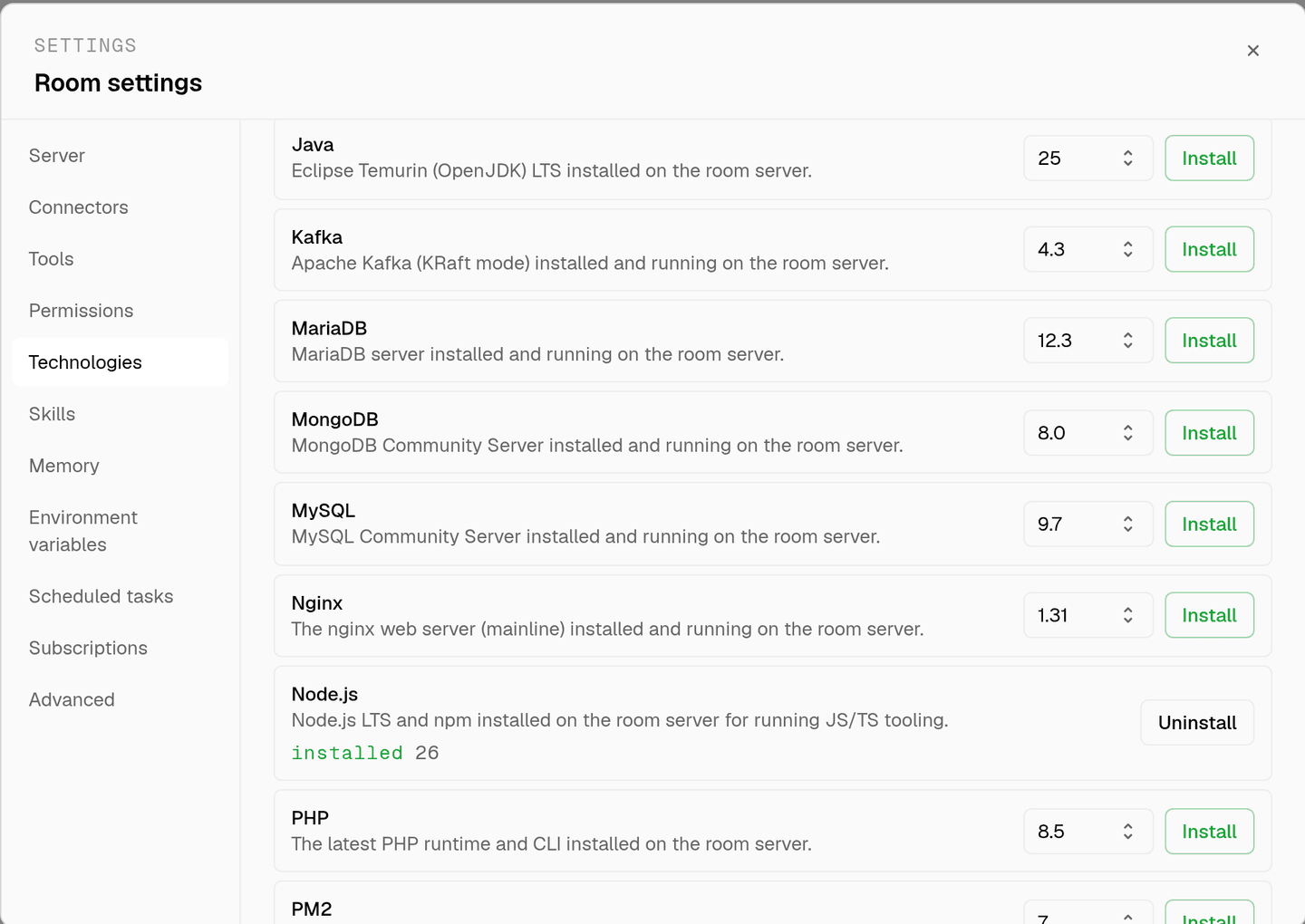
room settings lists every installable technology with its status. pick Nginx and the install is queued for that room's server alone.
- watch the install run
the room streams the status through pending, installing, and installed, and a failed script surfaces its error instead of leaving the room in an unknown state.
- agents use it through bash
once it reports installed, every agent in the room reaches Nginx with the bash tool, on the same filesystem as the checkout they are working in. uninstalling runs the teardown script and takes it away again.
where Nginx actually lives
each room owns a server for its whole life, and the technologies tab is how you decide what is on it. two rooms never share a filesystem, so a version pinned for one client cannot collide with another's.
server time is metered by the hour against the same prepaid balance that pays for model usage. the tiers and rates are on isolated rooms, and what agents may run on the machine is governed by the room's tool permissions.
faq
what does installing nginx on a room give the agents?
the nginx web server running on that room's own machine, with the config under its usual paths. agents write server blocks, validate them, reload the service, and then call the endpoint from the same box to see what the proxy actually returned.
why not just review the config by reading it?
because location matching and proxy headers are where nginx configs go wrong, and both are easier to observe than to reason about. an agent that can reload and curl finds the block that wins in half the time it would spend arguing about precedence.
is this a production web server?
no. it runs on the room's own server for development and verification, one machine the room keeps to itself. we publish nothing from it and put no domain in front of it, so an agent is testing what the config does rather than running a site for anyone else.
does the config survive between sessions?
yes. the room's server stays with the room for its life, so a config written today is still in place tomorrow. uninstalling stops the service and removes the packages, the config directory, and the logs.
spin up your first room.
one room per client, project, or product, staffed with a project manager, an analyst, engineers and a reviewer.