start using MariaDB with your agents
sign up, open a room, and install MariaDB from its technologies tab.
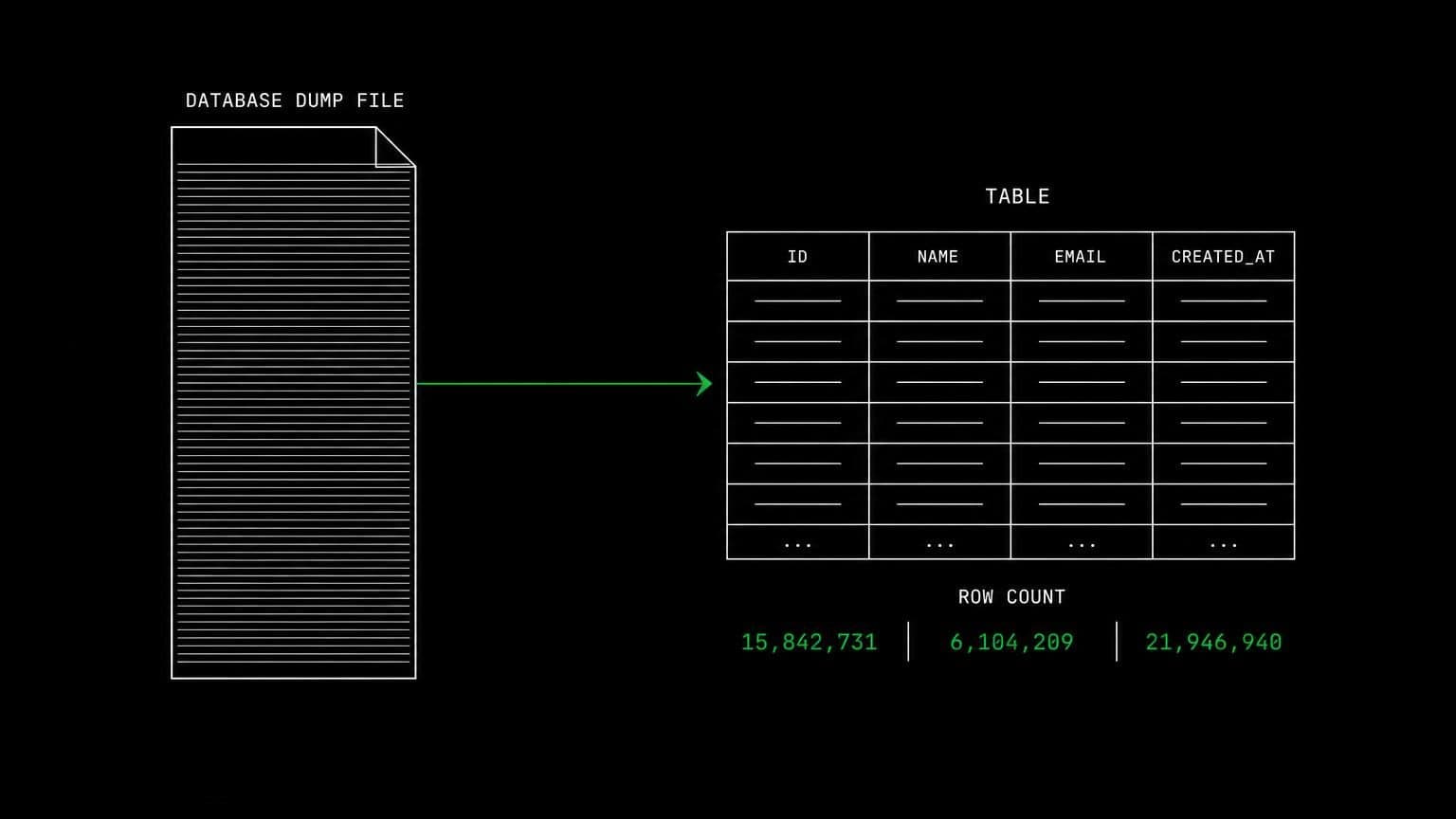
mariadb ai agent: a mariadb server per room for migrations and tests
install mariadb on a room's server and its agents run the mariadb client, apply migrations, seed fixtures, and test queries on a live database.
- runs on
- room server
- installed
- per room
- category
- datastore
mariadb on a room is a running database server on that room's own machine, installed from the technologies tab and reachable by every agent in the room through the bash tool.
what agents do with it
the loop is migration, apply, inspect, repeat. an agent runs the project's migration command against the room's mariadb, checks the resulting schema with the mariadb client, seeds the fixtures the tests expect, and runs the suite. when something fails on a collation or a strict-mode setting, the agent reads the real error rather than guessing which of several plausible causes applied.
one room, one database engine
mariadb and mysql cannot coexist on a machine, and the install script says so plainly instead of leaving a half-installed system behind. because rooms are isolated and run in parallel, the usual answer is a second room rather than a careful sequence of uninstalls, and each room keeps its own data directory either way.
example tasks
- 01
port the schema from the old dump and check every table came across.
the agent loads the dump into the room's mariadb, lists the tables and row counts from the client, and reports the ones that did not match.
bashreadgrep - 02
the nightly report query is wrong. work out where.
it seeds representative rows on the room server, runs the query in pieces against the live database, and shows which join drops the records.
bashedit
what to know before installing
the room needs a paid server tier, and a database beside an application is the case for the 8 gb tier. the install is queued per room and streams its status through pending, installing and installed, so a failure is visible rather than silent.
how to install MariaDB
MariaDB is installed per room from the technologies tab, not once per team and not on your laptop.
- give the room a server
technologies are installed on real hardware, so the room needs a 2 GB, 4 GB, or 8 GB tier. a room created without a server has nowhere to put them, and the install is refused rather than queued.
- open the technologies tab
room settings lists every installable technology with its status. pick MariaDB and the install is queued for that room's server alone.
- watch the install run
the room streams the status through pending, installing, and installed, and a failed script surfaces its error instead of leaving the room in an unknown state.
- agents use it through bash
once it reports installed, every agent in the room reaches MariaDB with the bash tool, on the same filesystem as the checkout they are working in. uninstalling runs the teardown script and takes it away again.
where MariaDB actually lives
each room owns a server for its whole life, and the technologies tab is how you decide what is on it. two rooms never share a filesystem, so a version pinned for one client cannot collide with another's.
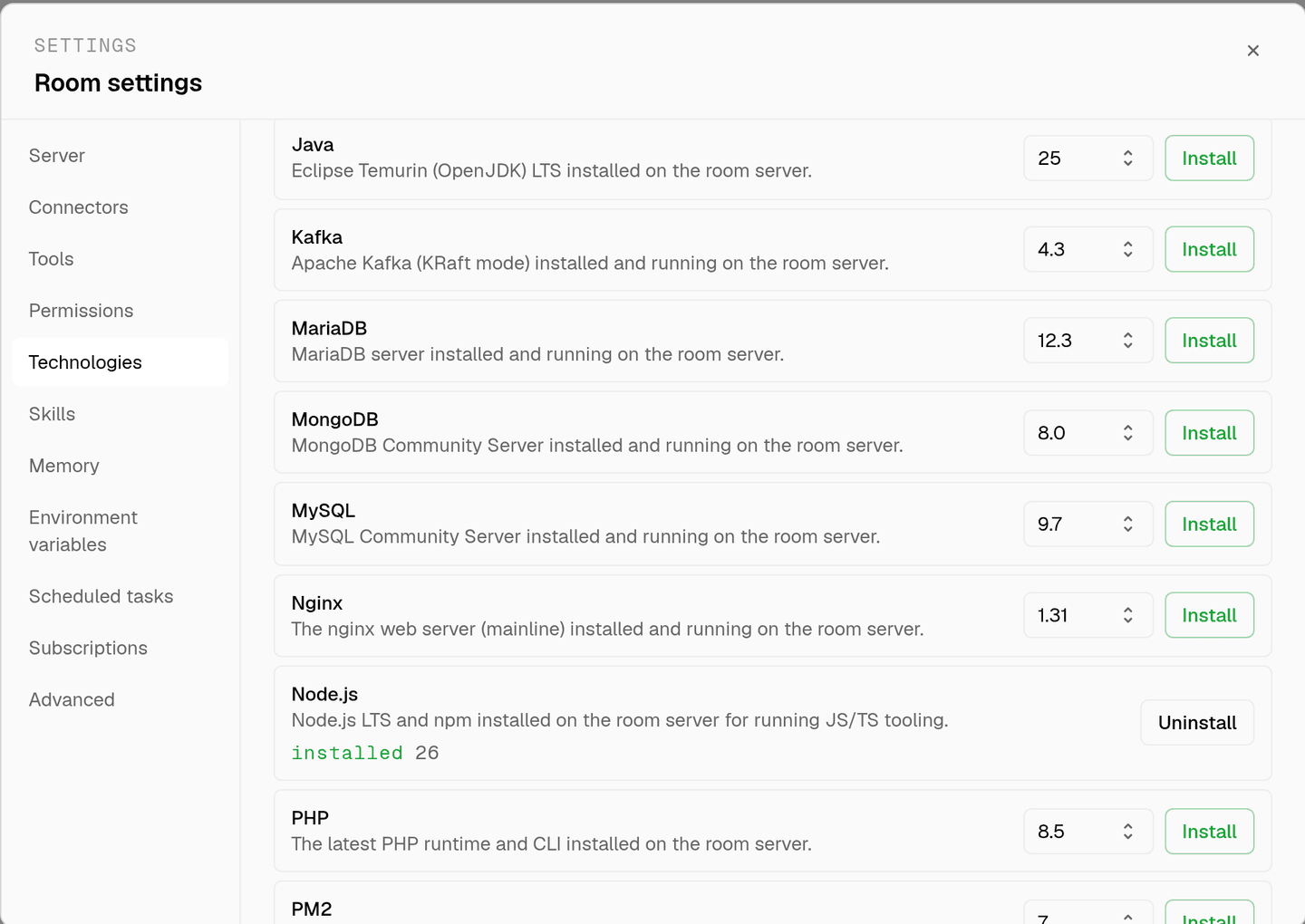
server time is metered by the hour against the same prepaid balance that pays for model usage. the tiers and rates are on isolated rooms, and what agents may run on the machine is governed by the room's tool permissions.
faq
can mariadb and mysql live in the same room?
no. the packages conflict, so the mariadb install checks for mysql community server first and stops with a message telling you to uninstall it. since technologies are per room, running both usually means running two rooms rather than one crowded machine.
what does the install actually do?
it adds the mariadb apt repository, installs mariadb server, enables the service, and then confirms the service is active before reporting success. a failed start includes the last journal lines in the run log, so the error is readable rather than a bare exit code.
why would a room pick mariadb over mysql?
because the project already runs it. a room exists to match one project's stack, so the honest answer is that the technology list follows your repository rather than a recommendation. installing the wrong one and switching costs an uninstall and an install.
does anything persist between sessions?
yes. the room's server stays with the room for its life, so a seeded database is still there next time. uninstalling purges the packages and removes the data directory, which returns the room to a clean base without recreating it.
spin up your first room.
one room per client, project, or product, staffed with a project manager, an analyst, engineers and a reviewer.