start using Elasticsearch with your agents
sign up, open a room, and install Elasticsearch from its technologies tab.
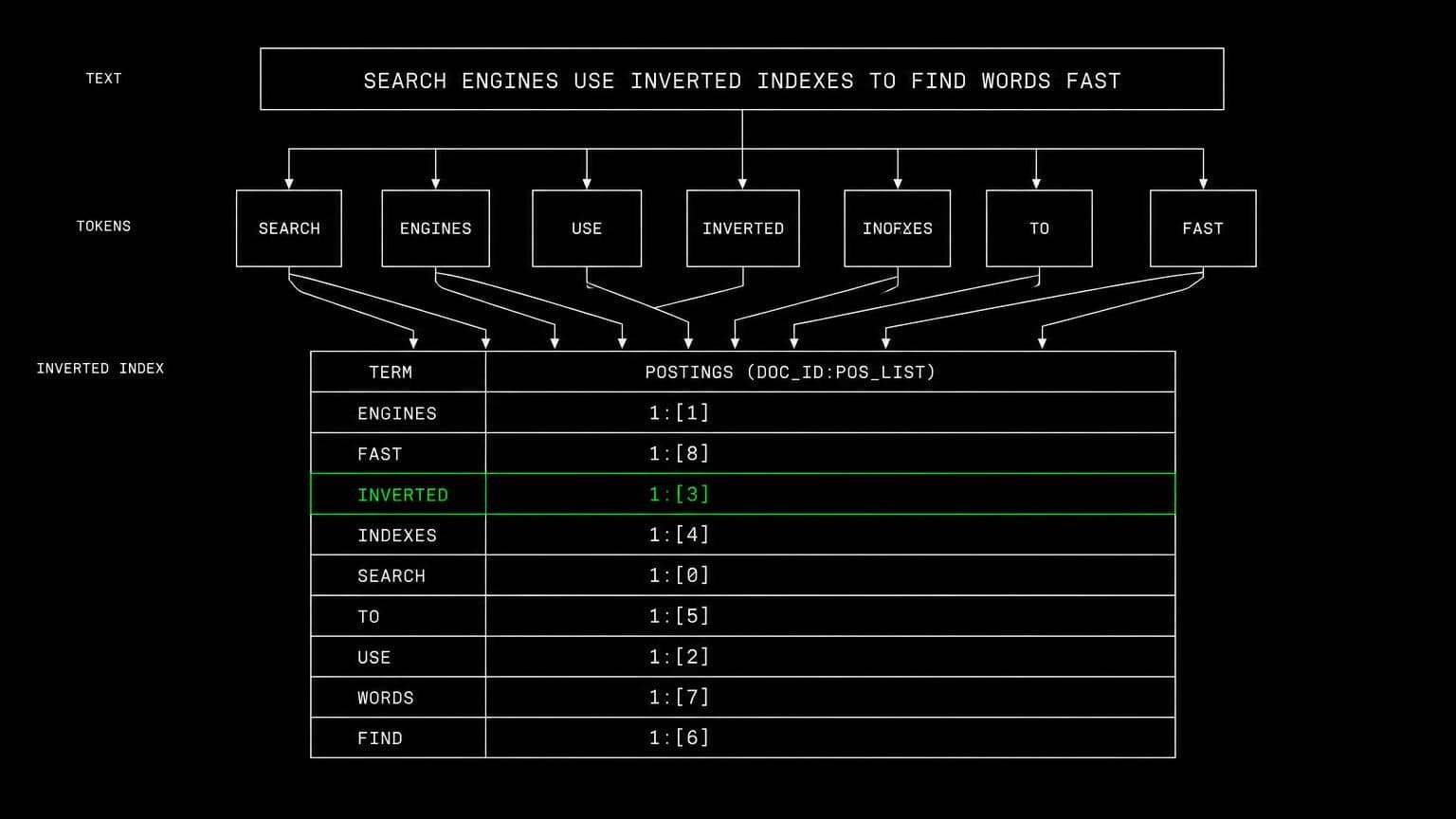
elasticsearch ai agent: index, query, and tune relevance in a room
install elasticsearch on a room's server and its agents create indices, load documents, run queries against the real analyzer, and tune the mappings.
- runs on
- room server
- installed
- per room
- category
- datastore
search bugs are almost never in the query. they are in the mapping, the analyzer, or the document that was indexed differently from the one being searched for. installing elasticsearch on a room's server lets an agent settle which of those it is by trying it.
what agents do with it
once it reports installed, elasticsearch is running on the room's machine and reachable over http from the same box. agents create an index with the project's mapping, load representative documents, run the query, and read the score explanation when the wrong document comes back first. tuning is then a loop rather than a guess: change the analyzer, reindex, search again.
working from real data
a document downloaded through a connected drive lands on the same room server, so an agent can index the actual export rather than a made-up sample. because rooms are isolated, that data stays inside the room that fetched it, and no other room can search it.
example tasks
- 01
searching for a hyphenated product code returns nothing. work out why.
the agent indexes the document on the room's elasticsearch, runs the analyzer over the field, sees how the code was tokenised, and adjusts the mapping until the term matches.
bashreadedit - 02
the wrong article ranks first for our most common query. fix the relevance.
it loads the real corpus, runs the query with an explain, and reports which field boost is doing the damage before changing anything.
bashgrep
what to know before installing
the room needs a paid server tier, and this one is a genuine reason to pick 8 gb rather than 4. the install adds the elastic apt repository, installs the server, and enables the service, streaming its status from the technologies tab as it runs.
how to install Elasticsearch
Elasticsearch is installed per room from the technologies tab, not once per team and not on your laptop.
- give the room a server
technologies are installed on real hardware, so the room needs a 2 GB, 4 GB, or 8 GB tier. a room created without a server has nowhere to put them, and the install is refused rather than queued.
- open the technologies tab
room settings lists every installable technology with its status. pick Elasticsearch and the install is queued for that room's server alone.
- watch the install run
the room streams the status through pending, installing, and installed, and a failed script surfaces its error instead of leaving the room in an unknown state.
- agents use it through bash
once it reports installed, every agent in the room reaches Elasticsearch with the bash tool, on the same filesystem as the checkout they are working in. uninstalling runs the teardown script and takes it away again.
where Elasticsearch actually lives
each room owns a server for its whole life, and the technologies tab is how you decide what is on it. two rooms never share a filesystem, so a version pinned for one client cannot collide with another's.
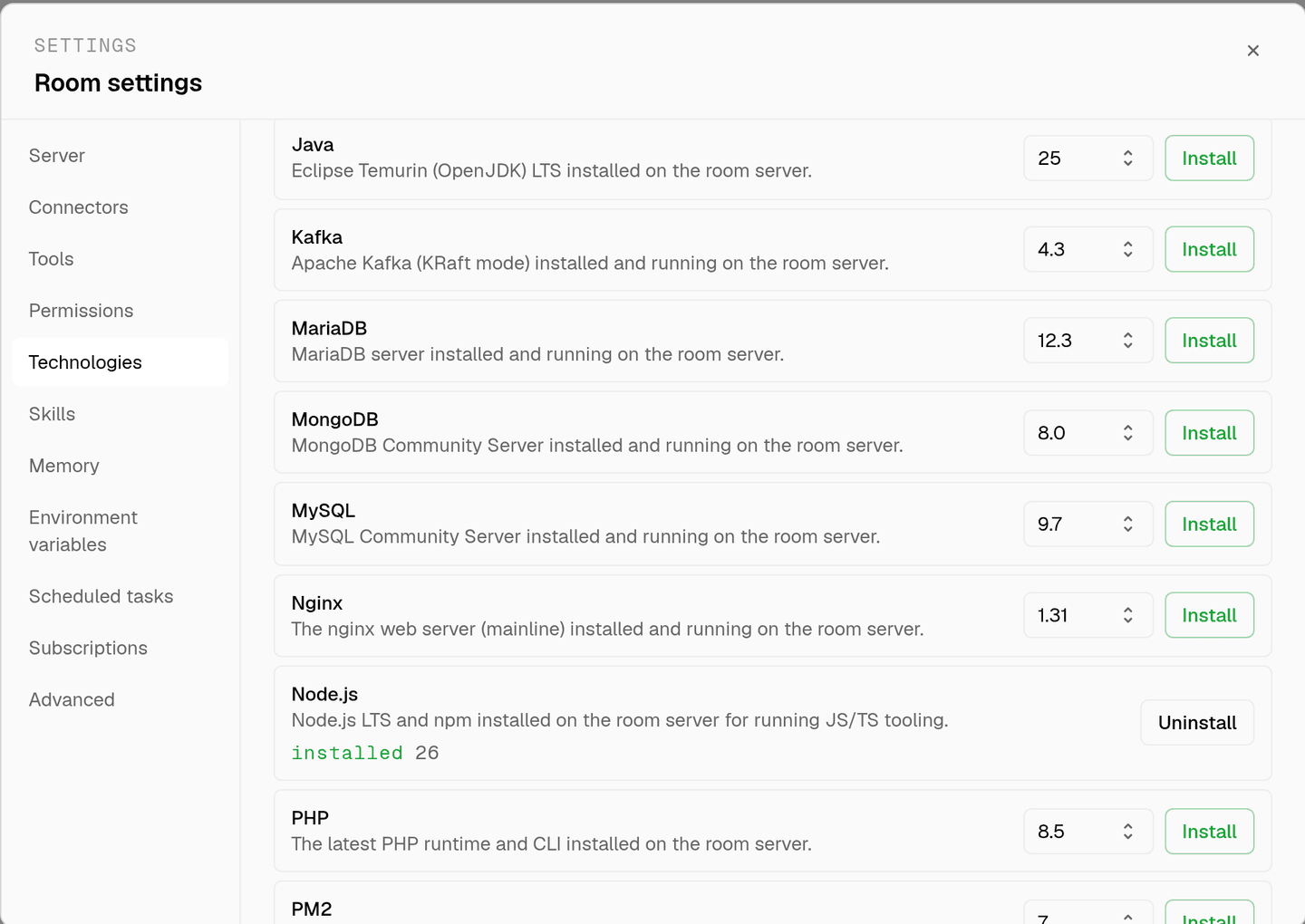
server time is metered by the hour against the same prepaid balance that pays for model usage. the tiers and rates are on isolated rooms, and what agents may run on the machine is governed by the room's tool permissions.
faq
what does installing elasticsearch on a room give the agents?
a running elasticsearch service on that room's own machine. agents create indices, load documents, and run search queries over http from the same box, so relevance work happens against the real analyzers instead of a description of them.
why does search work need a live instance?
because analyzers and mappings decide the result, and neither is obvious from reading the code. an agent that can index a document and search for it sees why a term did not match, which is the only way to tell a mapping problem from a query problem.
how much memory does it need?
elasticsearch is the heaviest technology in the catalog. a room running it alongside an application wants the 8 gb tier. server time is metered by the hour against the same prepaid balance that pays for model usage, so an idle room costs while its server exists.
does the index survive between sessions?
yes. the room's server is provisioned with the room and stays with it, so an index built today is still there tomorrow. uninstalling stops the service and removes the packages, which returns the room to a clean base.
spin up your first room.
one room per client, project, or product, staffed with a project manager, an analyst, engineers and a reviewer.