start using Docker with your agents
sign up, open a room, and install Docker from its technologies tab.
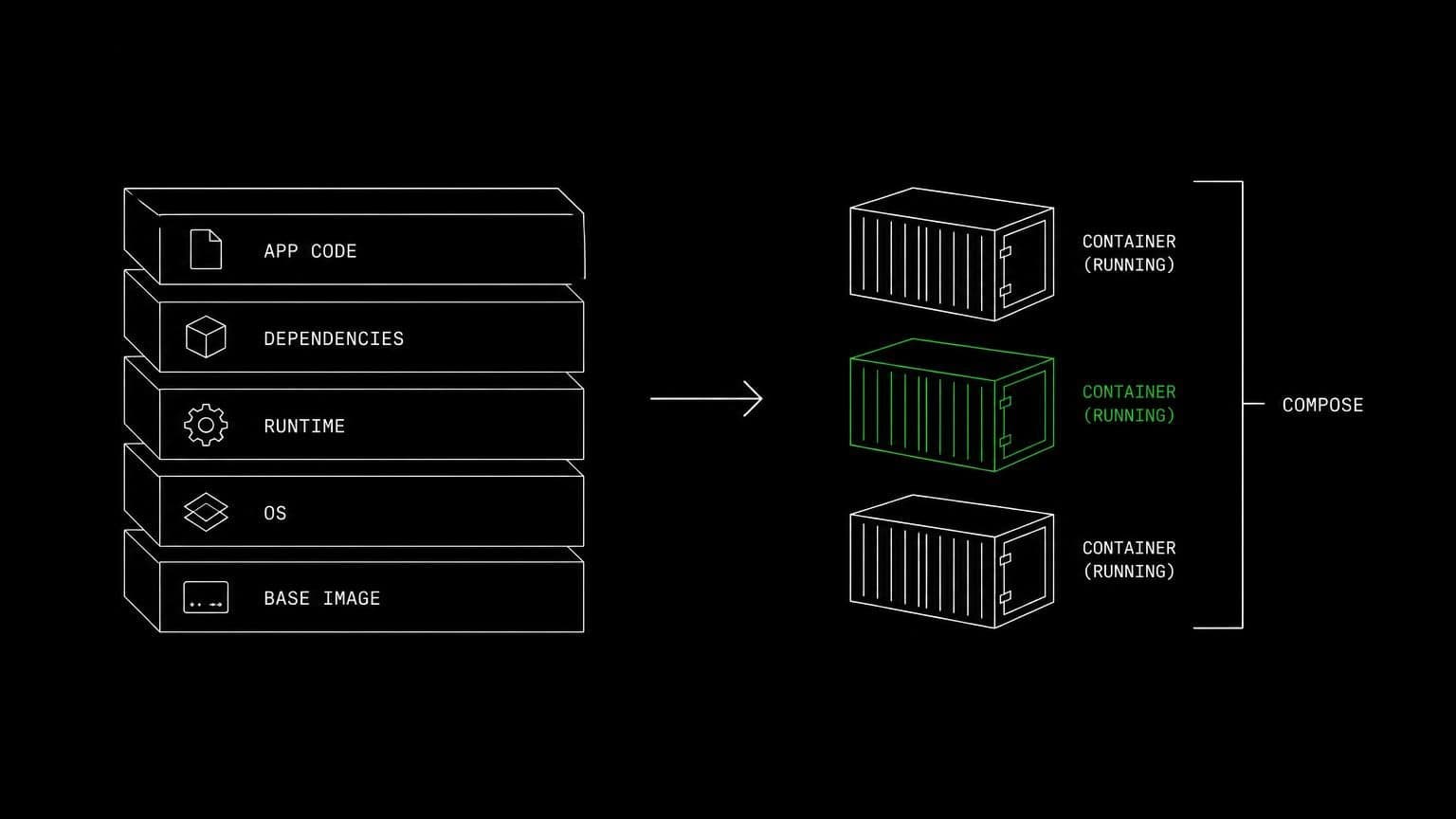
docker ai agent: write the dockerfile, bring the stack up
install docker engine with buildx and compose on a room's server and its agents build images, run containers, bring stacks up, and read the build logs.
- runs on
- room server
- installed
- per room
- category
- toolchain
on the docker ai agent search, docker owns most of the page with its own agent platform. this page is a smaller and more literal claim: docker is a technology a room installs on its own server so that agents can build and run your containers.
what agents do with it
once it reports installed, the docker cli with the buildx and compose plugins is on the path of that room's server. agents build images with docker build -t, run them with docker run, bring a stack up with docker compose up -d, inspect it with docker ps, and read docker logs when something exits. the repository is already checked out on the same machine, so the dockerfile the agent just wrote is built against the real source tree rather than a description of it.
the matching skill
docker ships with a skill of the same name covering build, run, compose, and log inspection. skills load only for the agents you assign them to, so the engineer who containerises the app carries it and nobody else in the room does.
example tasks
- 01
containerise this app and prove the image actually runs.
the agent writes a dockerfile, builds it on the room server, runs the container, calls the app from the same machine, and iterates until the image starts clean.
writebashread - 02
bring the compose stack up and run the integration tests against it.
it starts the services in the background, waits for them to be healthy, runs the suite, reads the logs of anything that failed, then tears the stack down.
bashgrep
what to know before installing
the room needs a paid server tier, and containers share that machine's memory and disk, so a 4 gb room is fine for a small stack and an 8 gb room is the better choice for anything with a database in it. the install is queued per room and streams its status, and uninstalling runs the teardown script.
how to install Docker
Docker is installed per room from the technologies tab, not once per team and not on your laptop.
- give the room a server
technologies are installed on real hardware, so the room needs a 2 GB, 4 GB, or 8 GB tier. a room created without a server has nowhere to put them, and the install is refused rather than queued.
- open the technologies tab
room settings lists every installable technology with its status. pick Docker and the install is queued for that room's server alone.
- watch the install run
the room streams the status through pending, installing, and installed, and a failed script surfaces its error instead of leaving the room in an unknown state.
- agents use it through bash
once it reports installed, every agent in the room reaches Docker with the bash tool, on the same filesystem as the checkout they are working in. uninstalling runs the teardown script and takes it away again.
where Docker actually lives
each room owns a server for its whole life, and the technologies tab is how you decide what is on it. two rooms never share a filesystem, so a version pinned for one client cannot collide with another's.
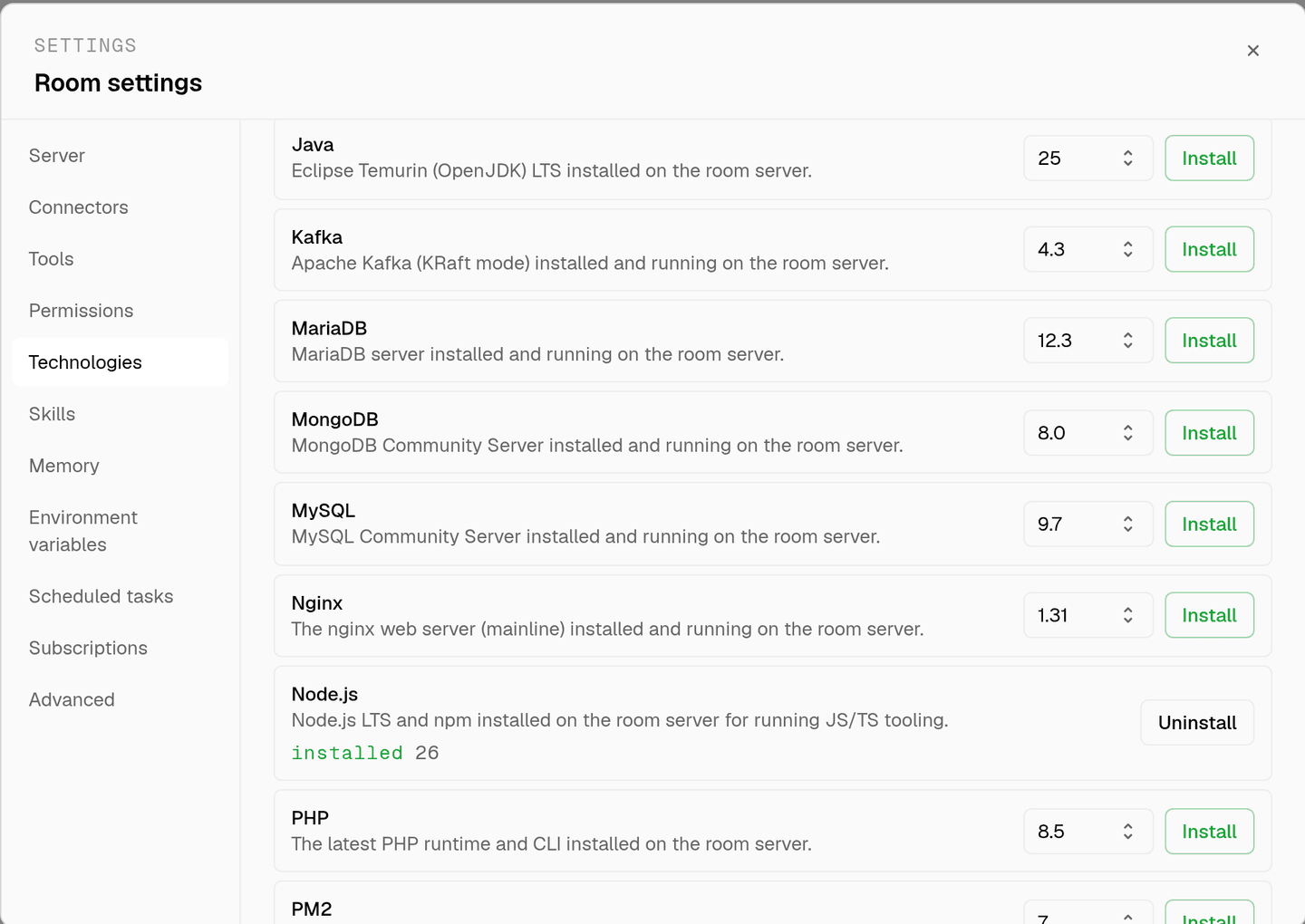
server time is metered by the hour against the same prepaid balance that pays for model usage. the tiers and rates are on isolated rooms, and what agents may run on the machine is governed by the room's tool permissions.
faq
is this a competitor to docker's own agent platform?
no, and it is worth being plain about it. docker here is a technology installed on a room's server, the same way node or postgres is. agents use the docker cli to build and run your containers. docker's own agent products are a different thing entirely and are not involved.
what does installing docker on a room give the agents?
docker engine with the buildx and compose plugins on that room's server, reachable through the bash tool. agents run docker build, docker run, docker compose up and docker logs against the checkout that is already on the machine.
can an agent bring up a multi-container stack for a test run?
yes. docker compose up -d starts the stack on the room server, the agent runs the test suite against it, and docker compose down tears it back off. because the room owns the machine, nothing collides with another project's ports or volumes.
what stops an agent from running something destructive?
docker is driven through the bash tool, and bash is a mutating tool, so it stops for your approval unless the room allows it. a room's tool permissions can set bash to ask, allow, or deny outright, per room and per agent.
does the docker install survive between sessions?
yes. the room's server is provisioned when the room is created and stays with it, so an image built yesterday is still in the local cache today. uninstalling docker from the technologies tab runs the teardown script and removes it.
spin up your first room.
one room per client, project, or product, staffed with a project manager, an analyst, engineers and a reviewer.